Module settings are at Admin > OG Images > Settings (/admin/og-images/template/settings). Click Save at the top of the page to apply changes.
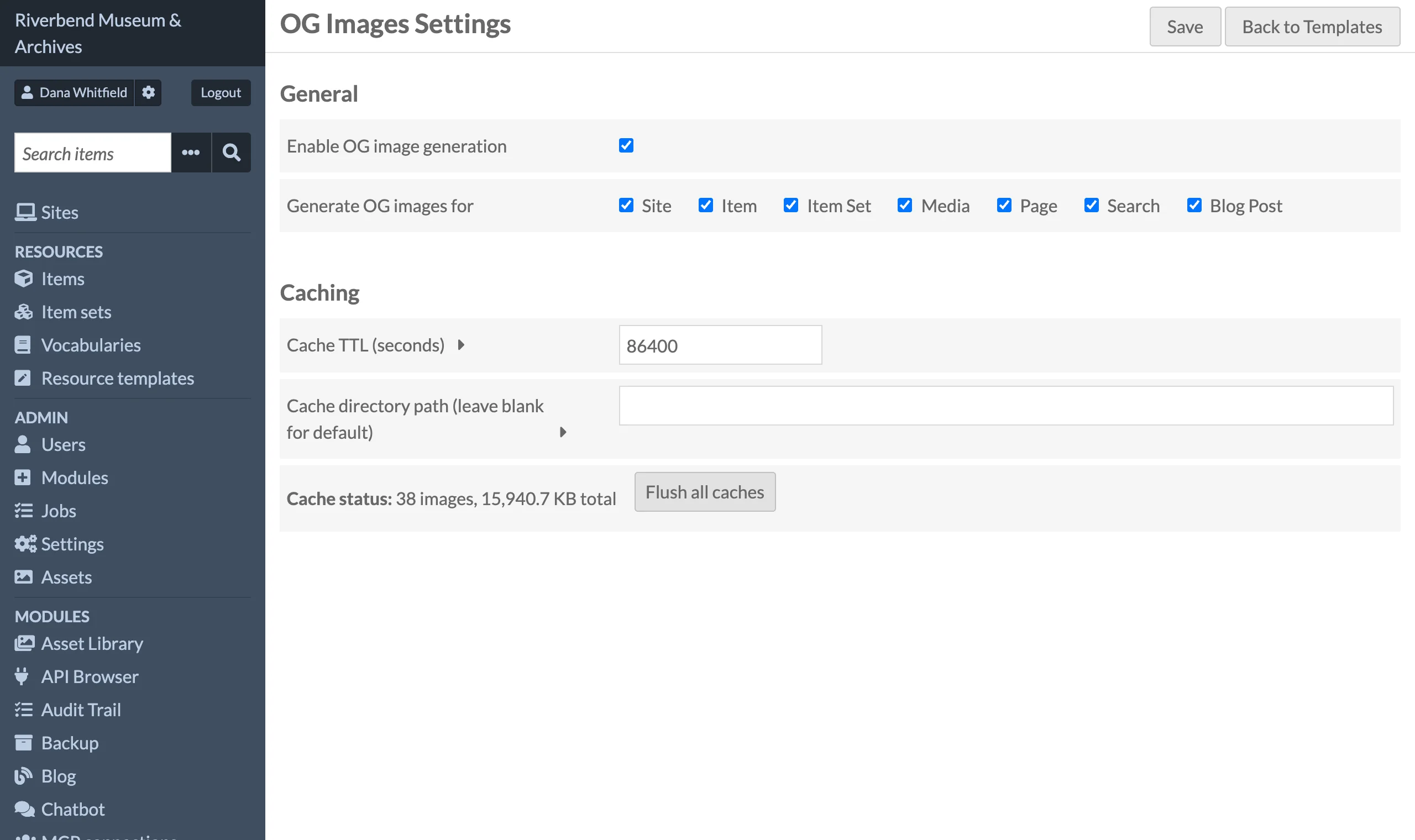
Settings
| Setting | Default | Description |
|---|---|---|
| Enable OG image generation | On | Master switch. When off, no Open Graph tags are injected into public pages and the image endpoint returns a 1x1 transparent PNG. |
| Generate OG images for | All types | Checkboxes for Site, Item, Item Set, Media, Page, Search and (when the Blog module is active) Blog Post. Only checked types get tags and images. Saving with nothing checked is treated as "all types". |
| Cache TTL (seconds) | 86400 |
Maximum age of a cached PNG. Older files are re-rendered on the next request. Setting 0 disables the disk cache: every request renders a fresh image and nothing is written to the cache directory. Useful while designing a template, but expensive on a busy site. |
| Cache directory path | blank | Absolute path where PNGs are written. Leave blank to use modules/OgImages/data/og-image-cache. The web server user needs write access. |
The settings page also shows the current cache status (number of images and total size) and a Flush all caches button. See Cache Management.
Permissions
The module registers two ACL resources: the public image endpoint and the admin template controller.
| Role | View OG images (public endpoint) | Manage templates | Site overrides | Module settings and cache flush |
|---|---|---|---|---|
| Anonymous visitor | ✓ | — | — | — |
| Researcher | ✓ | — | sites they may edit | — |
| Author | ✓ | — | sites they may edit | — |
| Reviewer | ✓ | — | sites they may edit | — |
| Editor | ✓ | — | sites they may edit | — |
| Site Admin | ✓ | ✓ | ✓ | ✓ |
| Global Admin | ✓ | ✓ | ✓ | ✓ |
A user may edit a site, and so set its overrides, when they own it or have the Admin role in its User permissions, the same right the site's admin page asks for. A site's Editors and Viewers cannot.
The OG Images sidebar entry is only shown to roles that can manage templates; other roles who open one of its pages get Omeka's Forbidden page (HTTP 403). Site Admins are granted all actions on the admin controller, so they can open the settings page and flush the cache as well as edit templates.
Which pages get tags
Tags are injected on public site pages only (URLs under /s/{site-slug}/), never on admin pages or the top-level index.
| Public page | Resource type | Tag title | Tag description |
|---|---|---|---|
| Site home page | site |
Site title | Site summary |
| Item show page | item |
Item display title | dcterms:description |
Item set page (/s/{site}/item-set/{id}, the list of the set's items) |
item_set |
Item set display title | dcterms:description |
| Media show page | media |
Media display title | (none) |
| Site page | page |
Page title | (none) |
| Cross-site search results | search |
"Search results" | (none) |
| Blog post (Blog module) | blog_post |
Post title | Post excerpt |
Other browse pages (the list of all items, the item set list, page lists) do not get tags.
Fonts
Text layers are rendered with the bundled Inter font. Weights bold, 700, 800 and 900 use Inter Bold; anything else uses Inter Regular. Additional families can be registered for developers through the og_images_fonts global setting; see Layout JSON.