What's new

What's new at RefBytes

New features and improvements to your hosting, newest first.

Hear about maintenance and new features in your dashboard

When we have news for you, like planned maintenance or a new feature, it now arrives in the bell at the top of your dashboard and by email. Longer announcements open on a page of their own.

You choose how you get them. Click your initials in the top corner, choose Edit My Settings, and untick Announcements by email or Announcements in the dashboard under Email Preferences. The unsubscribe link in an announcement email turns off announcement emails only.
Read the docs

See what's changed in your hosting

This page lists every change you'd notice in RefBytes, newest first: new features, improvements, and fixes to problems you may have run into.

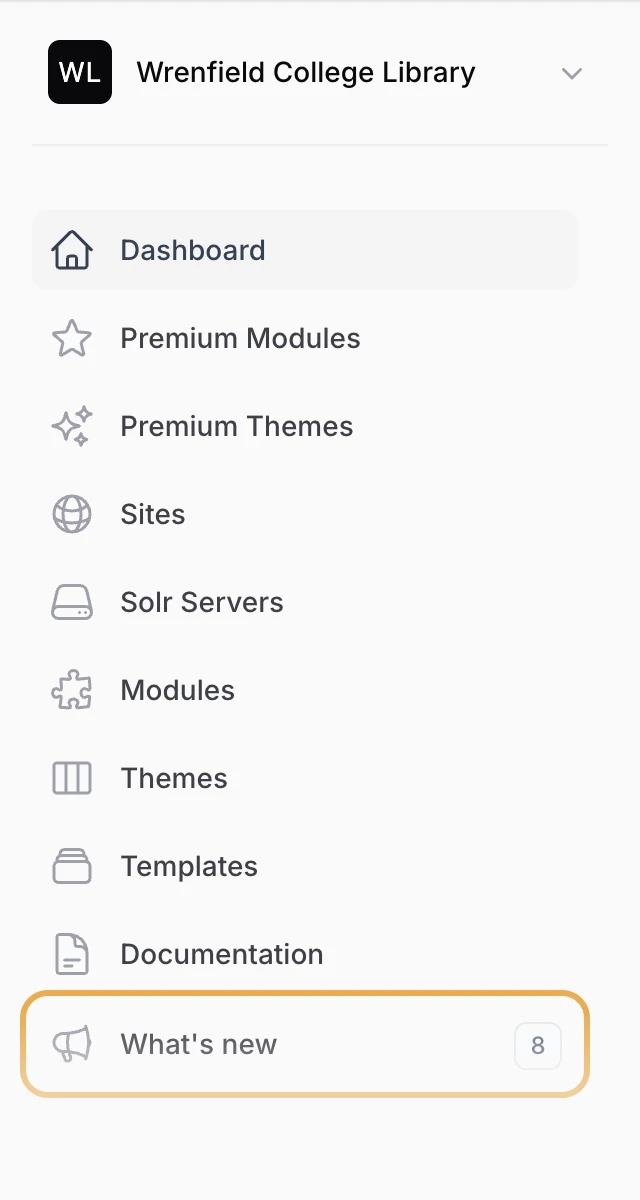
Open it any time from What's new in the sidebar of your dashboard. The number beside it shows how many changes have gone live since you last looked.

The dashboard's sidebar, with What's new at the bottom and a count of 8 beside it
What's new in the sidebar, with the number of changes since your last look.

Premium catalog now split by Omeka S and Omeka Classic

Many of our premium modules and themes come in an edition for each platform, under one name. They're now listed separately, so you can tell which one fits your site.

In Premium Modules and Premium Themes, cards are grouped under Omeka S and Omeka Classic. Our website's Premium page and the docs are split the same way, and call Classic modules plugins, as Omeka Classic does. Premium themes now appear with a screenshot instead of an icon, including on each site's Themes page.

Read the docs

Platform upgrades now show while they're installing

When you upgrade a site, its Version page now shows which version is installing and when it started. The site's version only changes once the install has finished, so a site no longer shows a version that didn't actually install.

While an upgrade is underway, the install button is greyed out, so a second one can't start on top of it. It comes back when the install finishes, or after 30 minutes if the server hasn't confirmed it by then.

Read the docs

Short videos in the docs show how it's done

Some guides now include short, silent videos of the whole task from start to finish. The Creating your first site guide opens with one, and the Premium modules and themes guide shows Design Studio trying style presets on a premium theme and publishing the result.

Videos play and loop on their own while they're on screen, and you can pause them any time. If your device is set to reduce motion, they wait until you press play.

Creating a site, start to finish. The setup is sped up here.

Read the docs

Rewritten documentation, now with screenshots

We've rewritten every guide to using RefBytes so they match the dashboard as it looks today, and nearly all of them now include captioned screenshots, so you can see exactly where to click. There's a new guide to premium modules and themes, too.

Open the docs from Documentation in the menu, or Read the docs under Quick actions on your dashboard. The screenshots show a fictional college library, never a real customer's sites.

Read the docs

Uploading your own modules and themes is now by request

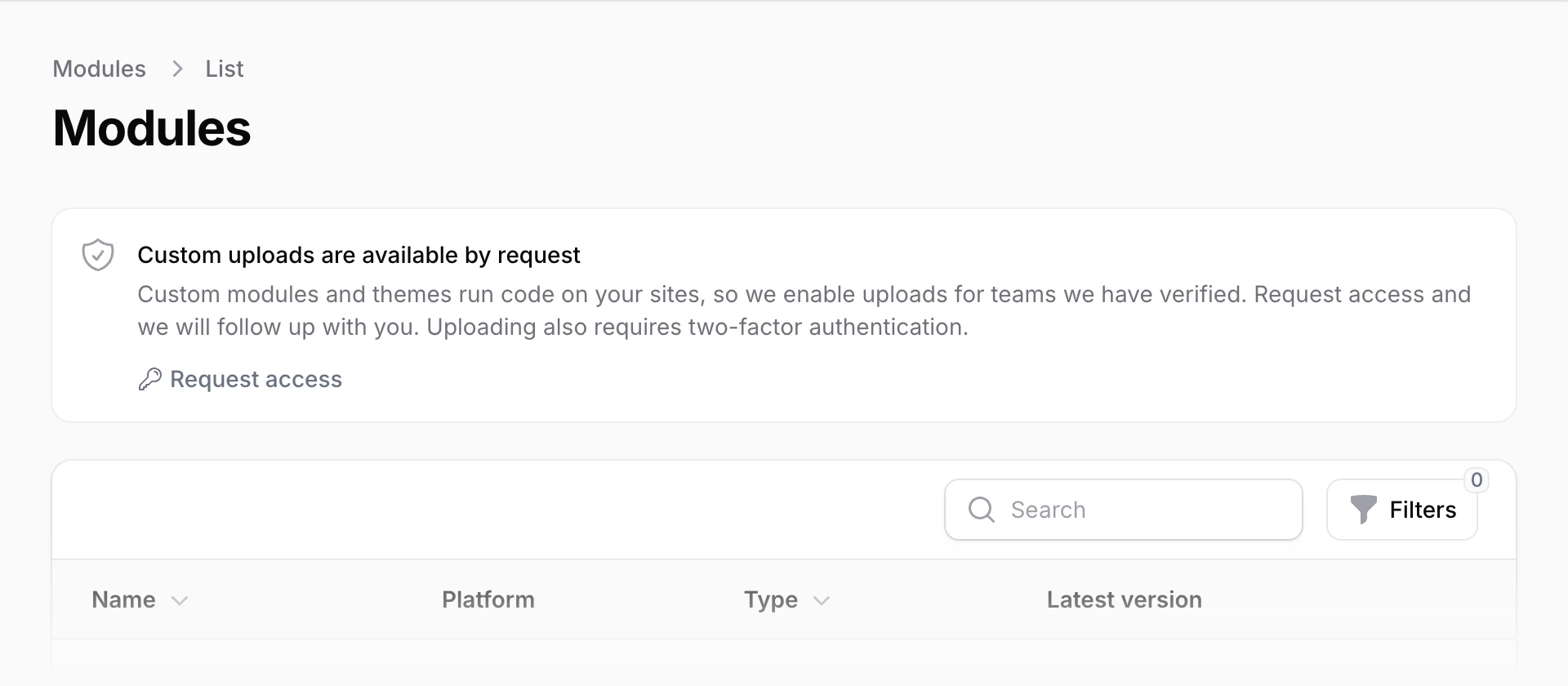
Because custom modules and themes run code on your sites, uploading them is now switched on team by team, and our staff review your team's first upload before it can be installed. After that approval, later uploads are approved automatically.

A team owner can ask for access: open Modules or Themes in the menu and click Request access. Uploading also needs two-factor authentication on your login. Versions you uploaded before stay available to install.

The Modules page with a box reading Custom uploads are available by request and Request access
Teams without custom uploads see this on the Modules and Themes pages.

Read the docs

A new dashboard with your team at a glance

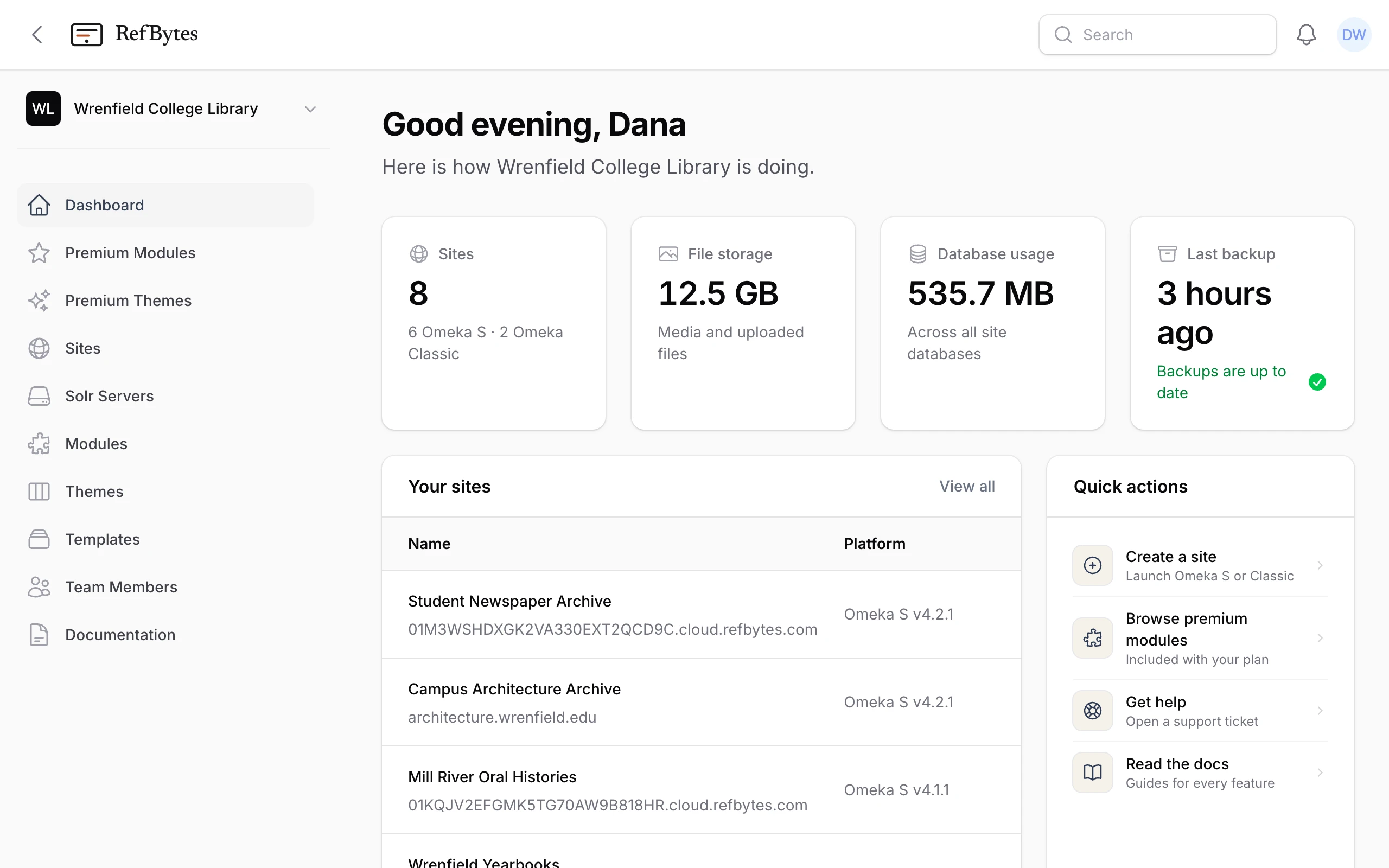
When you sign in, your dashboard now shows how many sites you have, how much file and database storage they use, with a 12-week trend for files, and when the last backup ran, with a warning if it's more than two days old.

Your sites lists your most recently updated sites, flags any with an update available, and opens each public site or Omeka admin in one click. Quick actions has shortcuts to common tasks, and Make the most of RefBytes suggests features your team hasn't tried yet.

The dashboard with cards for sites, file storage, database usage, and last backup, a list of recent sites, and quick actions
Your dashboard, with the menu on the left.

Read the docs

Premium modules and themes, included with every plan

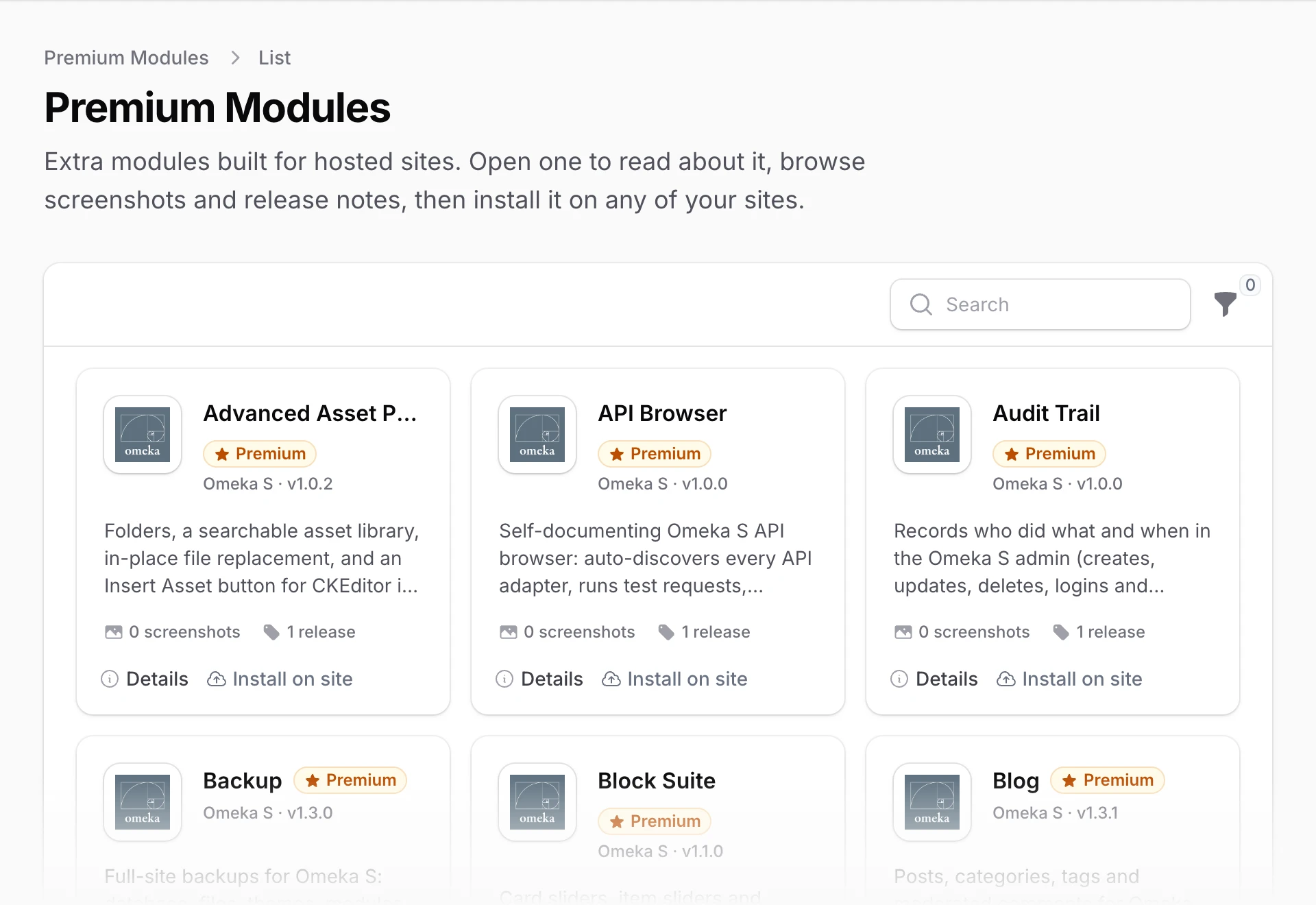
We now build our own modules and themes for hosted Omeka sites, and they come with every plan. Anyone can browse them on the Premium page of our website.

Click Premium Modules or Premium Themes in the menu, then Install on site on any card and choose a site and version. Details has the full description and release notes. Premium items also appear on each site's Modules and Themes pages, marked Premium.

The Premium Modules catalog, a grid of cards each with a name, version, short description, and Details and Install on site buttons
The Premium Modules catalog.

Read the docs

Questions about a change? Read the documentation, or open a support ticket.

Log in for Support