Semantic search finds records by meaning: a search for "evening light over fields" finds a painting described as "the field behind her studio at the same hour" even without the same words.
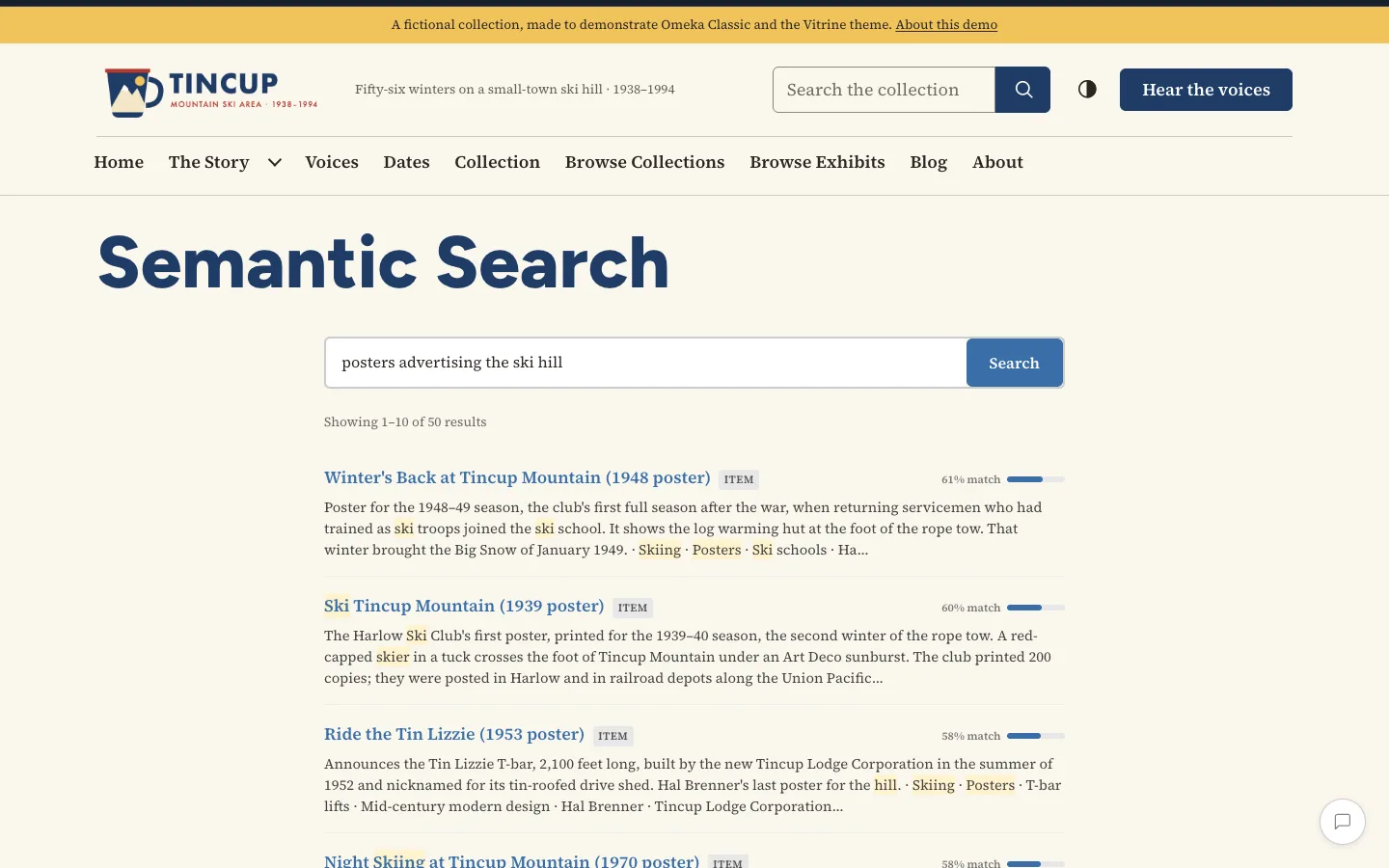
The search page
The search page is at /semantic-search. Tick Search in the navigation in the settings to link it from your theme's main navigation, and change its title with Search page title.
The address follows the search (/semantic-search?q=evening+light&page=2), so a search can be bookmarked or shared, and the browser's Back button returns to the previous one.
In a page
The [semantic_search] shortcode puts a search box with its results in a simple page or an exhibit:
[semantic_search]
[semantic_search heading="Search the paintings" placeholder="Try: a quiet room" per_page="5" collection="3"]
| Attribute | Default | What it does |
|---|---|---|
heading |
none | A heading above the box. |
placeholder |
"Search the collection…" | The text in the empty box. |
per_page |
10 | Results per page, 1 to 50. |
collection |
all | Collection IDs, separated by commas: only their records. |
Results
There is one result per page of your site: an item and its files lead to the same page, so they are one result. Each result shows its title, its kind (Item, File, Collection, Page, Exhibit), how closely it matches, and a passage with the words of the search highlighted.
Searches use one OpenAI embedding each and no chat model, so they cost far less than chats.