A download link lets another server, or a person, download an archive without signing in. It is the simplest way to move a site: the new server downloads the archive straight from the old one, however large it is, and you never download it to your own computer or wait for an upload.
Making a link
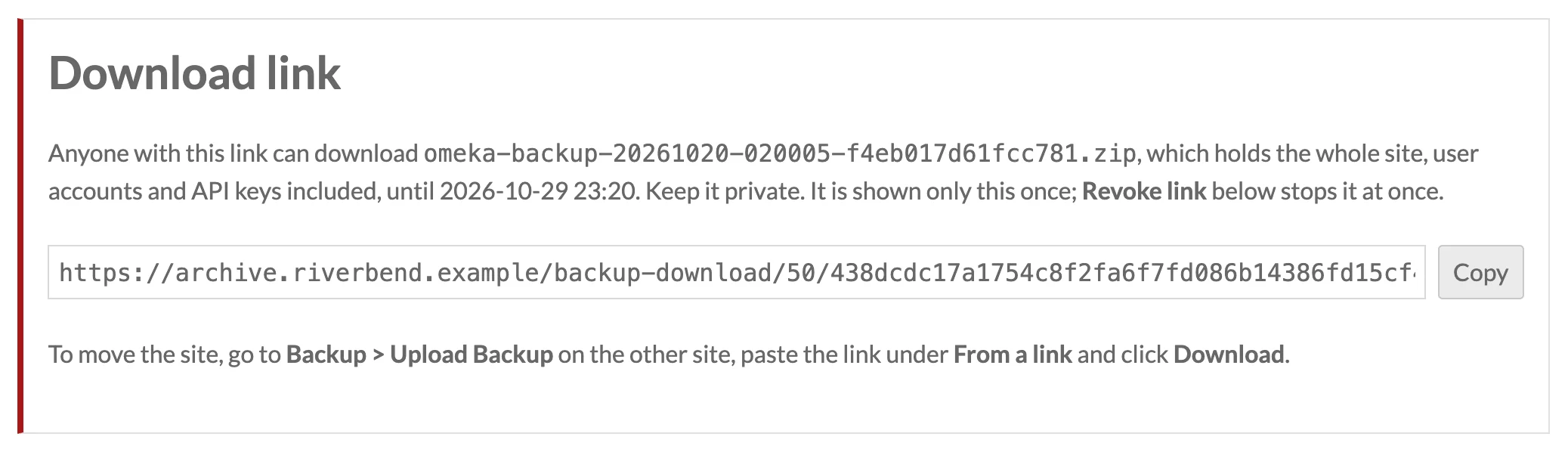
On Admin > Backup, click Get download link below a complete archive. The link appears once, at the top of the Backups page, with a Copy button. It looks like:
https://old.example.org/backup-download/12/3f9a…(64 characters)…/omeka-backup-20261027-020000-3f9a1c7e5b2d8e04.zip
An archive kept in the site's cloud file store is sent through the site, so its address in the store stays private and revoking the link stops it. See Sites with Cloud File Storage.
The link works for 48 hours. The archive's row shows until when (Link works until …), and Revoke link stops it at once. Making a new link for the same archive replaces the old one.
Only a fingerprint (SHA-256) of the link's secret part is stored, so the link cannot be recovered from the database: if you lose it, make a new one. The name at the end only tells the server receiving the archive what to call it.
A link stops working when it expires, when you revoke it, when the archive is deleted, and when its archive is no longer complete. Restoring a backup's database turns off every link in the restored list: those were made on the server the backup came from.
Using a link
On the other site, go to Admin > Backup > Upload Backup, paste the link under From a link and click Download. The download runs in the background, continues where it stopped if the connection drops, and the archive is then checked file by file before it can be restored. See Downloading from a Link.
The other site needs Backup 1.5.0 or later. An Omeka Classic site's Backup plugin takes these links too, but cannot restore an Omeka S archive: it recognizes one and refuses it. The same goes the other way.
Opening the link in a browser downloads the archive too, which is a quick way to check one.
Keep links private
Anyone with the link can download the archive, which holds the whole site, password hashes and API keys included, until it expires or you revoke it. Send it only to yourself or the person moving the site, revoke it when the move is done, and use https:// addresses.
Every use of a link is written to backup.log in the backup directory, with the address it came from (continuations of the same download are not logged again), and so are making and revoking links.
From the command line
On a server with shell access, link prints a download link and unlink revokes it. The command line cannot tell the site's address, so give it:
php modules/Backup/bin/backup.php link 12 --site=https://old.example.org
php modules/Backup/bin/backup.php unlink 12
See CLI Commands.
Links behind a reverse proxy
The Get download link button builds the link from the address you are using to reach the admin pages. If the server sits behind a proxy that hides https:// from PHP, the link may start with http://. It still works when the site redirects http:// to https://, which the receiving server follows; otherwise change the start of the link by hand before pasting it.