Everything the module does is recorded in its own MySQL table, module_chatbot_log, and summarised on the dashboard.
Times are stored in UTC, like Omeka's own timestamps, and shown in the installation's time zone (Admin > Settings > Time zone) with its abbreviation, for example 2026-10-20 08:36:44 MDT. The dashboard's 24-hour, 7-day and 30-day counts and log retention are measured back from the current time, and the daily chart uses days in that time zone.
Dashboard
Admin > Chatbot (/admin/chatbot) opens the dashboard. It is built entirely from the log table, so the figures depend on the Log level setting: chat and search events are logged at info, and a level of warning or error hides them from the dashboard.
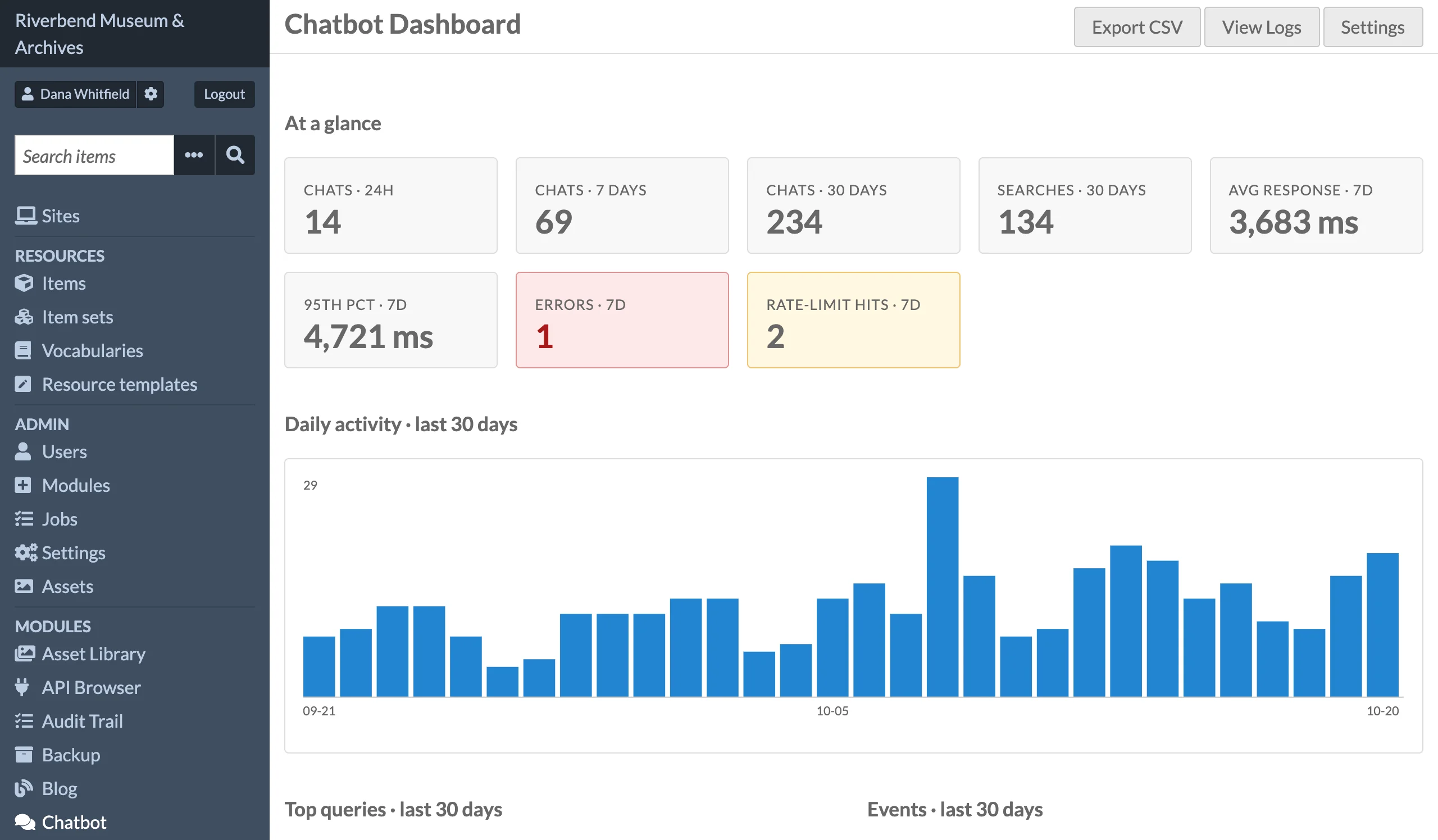
- At a glance: chats in the last 24 hours, 7 days and 30 days; searches in the last 30 days; average and 95th percentile response time over 7 days; errors and rate-limit hits over 7 days.
- Daily activity: a bar chart of chats plus searches per day for the last 30 days, by days in the installation's time zone.
- Top queries: the ten most frequent questions and search queries over 30 days, compared case-insensitively.
- Events: a count per event name over 30 days.
- Recent chat responses: the last 20 answers. Expand one to read the full question, the generated answer and the cited sources.
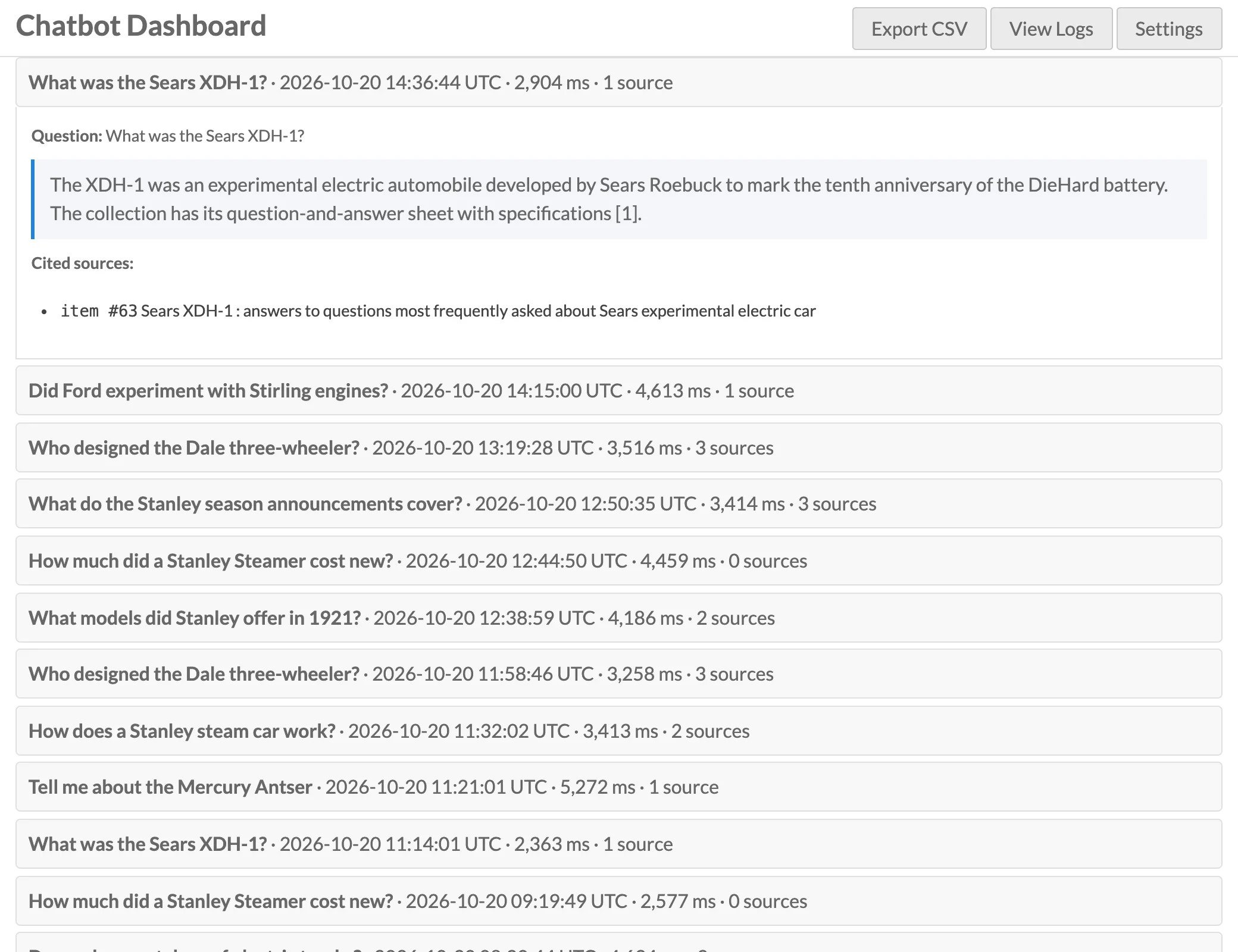
The page actions link to Export CSV, View Logs and Settings.
Log viewer
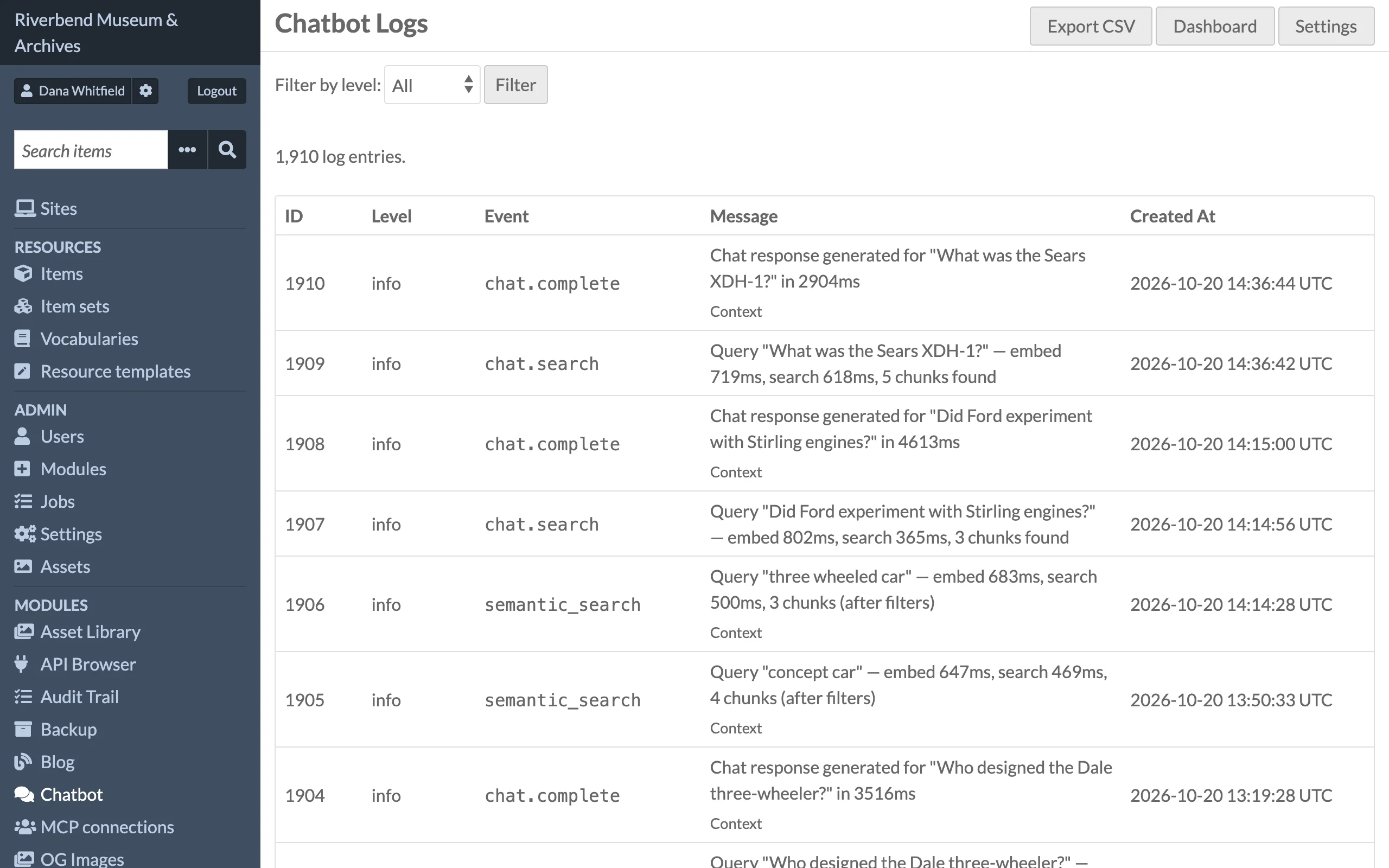
View Logs (/admin/chatbot/logs) lists entries newest first, 50 per page, with a Filter by level selector. Each row shows the entry's ID, level, event name, message and time; the message column takes most of the width. Entries with extra context, such as the full question and answer of a chat, have an expandable Context section showing the JSON indented and wrapped to the column.
| Event | Level | Meaning |
|---|---|---|
index.item, index.media, index.blog_post, index.site_page |
info | A resource was indexed. |
index.chunk |
info | One chunk was embedded, with timing. |
index.skip |
info | A resource was skipped: no text, not public, or outside the item set filter. |
index.embed |
error | Embedding or the Turso insert failed. |
index.problem |
error | A resource was not indexed because the index needs rebuilding (see Troubleshooting). |
delete.index, delete.vector |
error, warning | Removing the chunks of a resource that was deleted or is no longer public failed. |
dispatch.error |
error | An index job could not be queued. |
chat.search |
info | Retrieval step of a chat, with embed and search timings. |
chat.complete |
info | An answer was generated. Context holds the question, answer, sources, timings, model, site id and the item set ids sent with the request (null when none). |
semantic_search |
info | A search ran. Context holds the query, chunk count, timings, site id and item set ids. |
chat.rate_limit, search.rate_limit |
warning | A request was refused by the rate limiter. |
chat.error, search.error |
error | Turso or OpenAI failure. The visitor gets HTTP 503 with a generic "temporarily unavailable" message; the detail is only here. |
chat.unexpected, search.unexpected |
error | Any other failure, returned as HTTP 500. |
Exporting logs
Export CSV on the dashboard or the log viewer downloads every log entry, not just the current page, as chatbot-logs-YYYYMMDD-HHMMSS.csv. From the log viewer the active level filter is applied. Columns: id, created_at, level, event, message, question, answer, source_count, total_ms, site_id, the raw context JSON and time_zone. created_at is in the installation's time zone, as on screen, and time_zone gives its abbreviation for that row (MDT, MST, UTC and so on). The file name uses the same time. The file starts with a UTF-8 byte order mark so it opens cleanly in Excel.
Log retention
Set Log retention (days) on the Behaviour tab (default 90; 0 keeps everything). Retention is not applied on a schedule. Click Purge Old Logs Now on the Diagnostics tab to dispatch a PurgeChatbotLog job that deletes older entries in batches of 1000. The button is disabled when retention is 0.
Test search
Run Test Search on the Diagnostics tab embeds the text you enter (or "test" if empty), runs a live vector search and prints:
- the current embedding model, dimensions, chunk size, Top-K and Turso URL,
- whether Turso is reachable, the number of chunks indexed and when the last chunk was written, and whether the Access module's restrictions apply,
- the last 10 warnings and errors from the log,
- the vector length returned by OpenAI and the top matching chunks with their distance and a snippet.
The matching chunks are checked as chat and search check them, so the list is what visitors would get: chunks whose resource is not public now (private, unpublished, deleted, scheduled for later, or restricted by the Access module) are left out, and a Hidden, not public line counts them. If no chunks are indexed, or chunks exist but the search returns nothing, a hint tells you to re-index; if every match was hidden, it points to Remove Non-Public Chunks. The test search is available to every role that can open the settings page: editors, site admins and global admins.