Module settings
Open Admin > Modules, then click Configure next to PageVersioning (/admin/module/configure?id=PageVersioning). A Settings button on every history page leads to the same form.
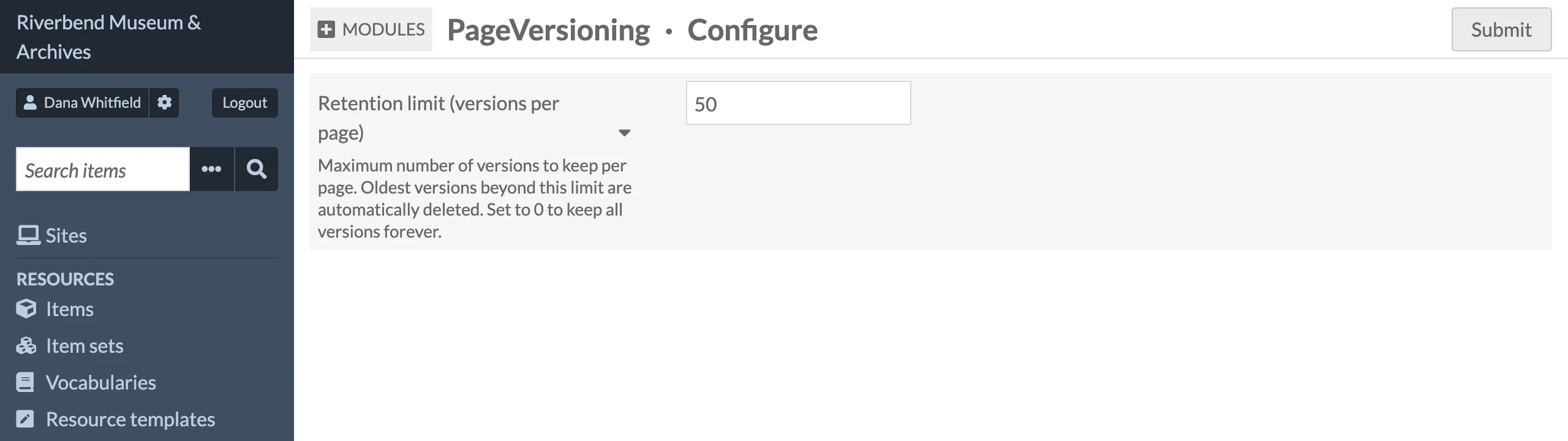
| Setting | Default | Description |
|---|---|---|
| Retention limit (versions per page) | 50 | Maximum number of versions to keep for each page. When a new version is stored and the page has more than this many, the oldest entries are deleted. Set to 0 to keep all versions forever. Negative values are treated as 0. |
The setting is stored globally under the key page_versioning_retention.
How retention is applied
- The check runs after every stored version, including the entry written by a revert.
- It counts all entries for the page regardless of operation, so the original "create" entry is pruned once the page has more versions than the limit.
- Lowering the limit does not prune anything immediately. Each page is trimmed the next time it is saved.
Permissions
Access is controlled with Omeka S roles. There are no per-site settings.
| Role | View history, snapshots and diffs | Export JSON | Revert | Delete a version |
|---|---|---|---|---|
| Global Administrator | Yes | Yes | Yes | Yes |
| Site Administrator | Yes | Yes | Yes | Yes |
| Editor | Yes | Yes | Yes | Yes |
| Reviewer | Yes | Yes | No | No |
| Author | Yes | Yes | No | No |
| Researcher | No | No | No | No |
Users without access do not see the Page Versioning sidebar entry, the Version history button and sidebar on the page edit screen, or the history icons in a site's pages list, and requests to /admin/page-versioning/... are refused with Omeka's Forbidden page (HTTP 403). The revert form and the delete buttons are only rendered for roles that may use them.
The JSON API applies its own rules; see REST API.