The settings are under Plugins > Audit Trail > Configure, or the Settings button at the top of the Audit Trail page. The address is /admin/plugins/config?name=AuditTrail. Only Super Users can change them, and every change is itself logged.
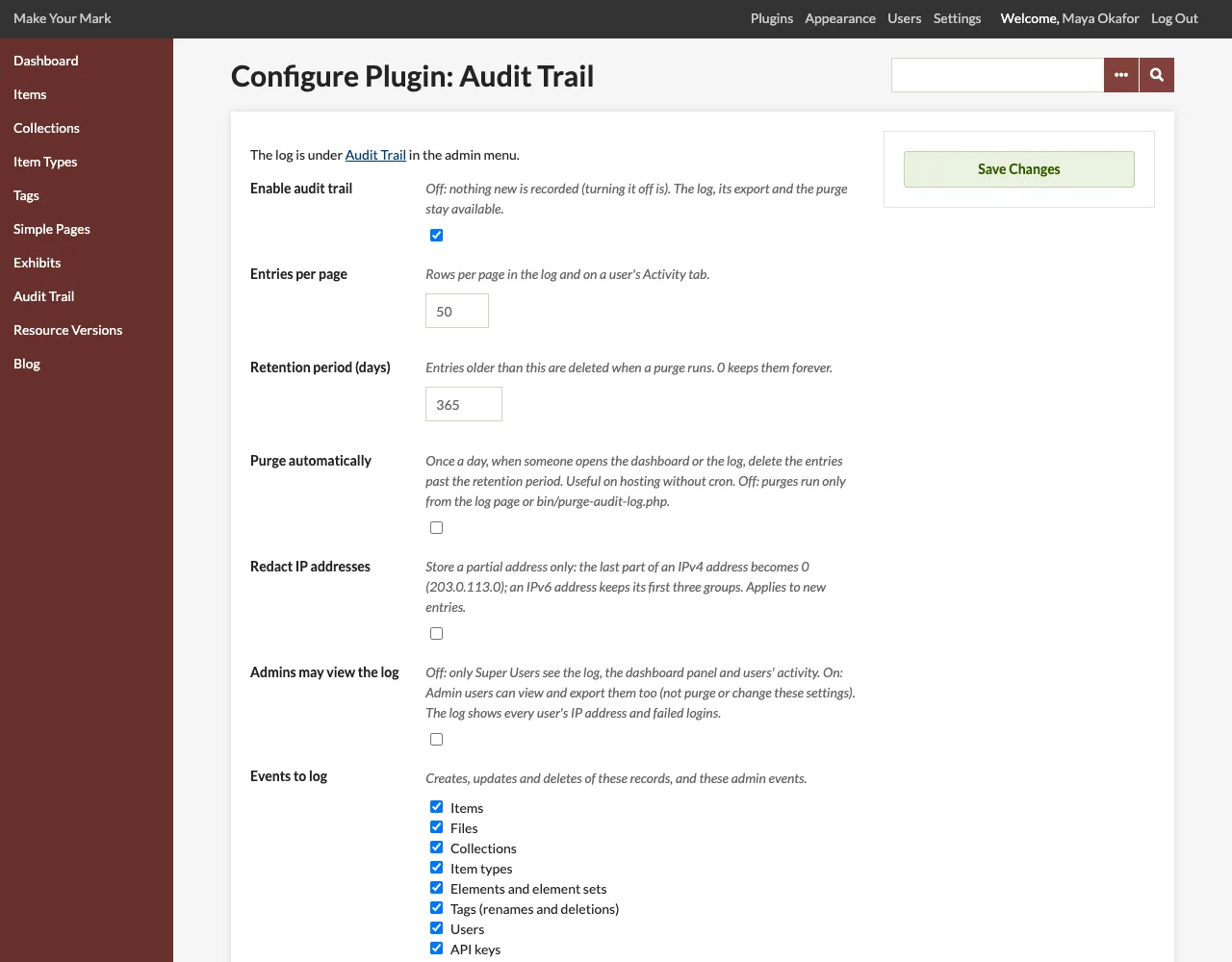
Settings
| Setting | Default | Description |
|---|---|---|
| Enable audit trail | On | The master switch. Off: nothing new is recorded, the dashboard panel and the panel on user pages are hidden, and the command-line purge skips its run unless given --days. The log page, the Activity tabs, the export and the purge stay available. Turning logging off is the last entry it writes. |
| Entries per page | 50 | Rows per page in the log and on a user's Activity tab (1 to 500). |
| Retention period (days) | 365 | Entries older than this are deleted when a purge runs. 0 keeps entries forever, and every purge then does nothing. See Purging Old Entries. |
| Purge automatically | Off | Once a day, when someone opens the dashboard or the log, delete the entries past the retention period (up to 10,000 at a time; the rest the next day). Useful on hosting where you cannot run cron. |
| Redact IP addresses | Off | Store a partial address only: the last part of an IPv4 address becomes 0 (203.0.113.42 becomes 203.0.113.0); an IPv6 address keeps its first three groups, followed by :****. Applies to new entries; existing ones keep what was stored. |
| Admins may view the log | Off | Off: only Super Users see the log. On: Admin users can view and export it too, and see the dashboard panel and users' Activity tabs. See Permissions below. |
| Events to log | All | The kinds of events recorded. See the list below. |
Events to log
| Box | Records |
|---|---|
| Items | Items created, edited, deleted (and batch edited). |
| Files | Files uploaded, edited, deleted. |
| Collections | Collections created, edited, deleted. |
| Item types | Item types created, edited, deleted. |
| Elements and element sets | Elements created, edited (only when their name, description, comment or order changed), deleted; element sets added and removed by plugins. |
| Tags (renames and deletions) | Tags renamed or deleted on the Tags page. New tags are part of the item edit that added them. |
| Users | Accounts created, edited (with the role, status, name, username, email or password change), deleted. A user who activates their account or sets a new password from an emailed link is the actor of that edit. |
| API keys | Keys created and rescinded. |
| Simple Pages | Pages created, edited, deleted. |
| Exhibits and exhibit pages | Exhibits and their pages created, edited, deleted. |
| Plugins | Plugins installed, activated, deactivated, upgraded, uninstalled and configured. |
| Settings, appearance, navigation and search | Changes to the General, Security, Search, Item Type Elements and API settings, the appearance settings, the public navigation, the search re-index button, and plugins' own settings pages. |
| Themes | The public theme switched, and a theme's settings saved. |
| Logins / Logouts / Failed logins | Each one separately. |
| Events reported by other plugins | What other plugins log with the audit_trail_log hook. See Logging from Other Plugins. |
When every box is ticked, the setting is stored as "all", so kinds of events added later (a plugin that registers its own records) are logged too. Untick a box to stop recording that kind of event; what is already in the log stays.
Permissions
The log is for Super Users. Admin users see it only when Admins may view the log is on; Contributors and Researchers never do.
| Role | View the log, entries and exports | Dashboard panel and Activity tabs | Run the purge | Change the settings |
|---|---|---|---|---|
| Super User | ✓ | ✓ | ✓ | ✓ |
| Admin (setting on) | ✓ | ✓ | — | — |
| Admin (setting off) | — | — | — | — |
| Contributor | — | — | — | — |
| Researcher | — | — | — | — |
Why Super Users only by default: in Omeka Classic, only Super Users can see other users' accounts, the plugins and the settings. The log shows every user's IP address and browser, the usernames typed in failed logins, and changes to plugins, settings and themes, so by default it follows the same line. The Omeka S module let site administrators view the log; turn on Admins may view the log for the same arrangement. Admins never purge the log or change its settings, so they cannot remove a record of their own actions.
People without access get Omeka's "Forbidden" page at /admin/audit-trail, and the menu entry, dashboard panel and Activity tab are not shown to them.
What each entry records
| Field | Content |
|---|---|
| Time | When the action finished, stored in UTC and shown in the installation's time zone (PHP's date.timezone). |
| Actor | The signed-in user (their display name, or username) and user ID. "System" for background jobs and scripts with no user; "Visitor" for someone not signed in (a failed login). |
| Action | <type>.<verb>, for example item.create, file.delete, plugin.configure, user.login_failed. |
| Resource | The type, ID, a name (title, filename, username…) and a link to its admin page. |
| Detail | One line about what happened, for example public: no → yes or Changed site_title, description. |
| Source | Web, REST API, Background job or Command line. |
| Batch | Shared by the events of one bulk operation. |
| IP address | The client's address (redacted when the option is on). None for jobs and scripts. |
| User agent | The browser. For jobs and scripts: what ran, for example Background job Job_ItemBatchEditAll (process 12). |
| Data | The details as JSON: the values that changed, the settings changed, a plugin's version, an event's data. |
See Logged Events for every action and how the table is laid out.