Besides the full log, the plugin shows activity in three places in the admin. Each appears only to people who may view the log.
Recent Activity on the dashboard
The admin dashboard gains a Recent Activity panel below Recent Items and Recent Collections. It lists the ten latest events with their time, actor, action and record; a bulk operation counts as one line, with its number of events and its most frequent actions. The time links to the entry, the actor to the user, the record to its admin page.
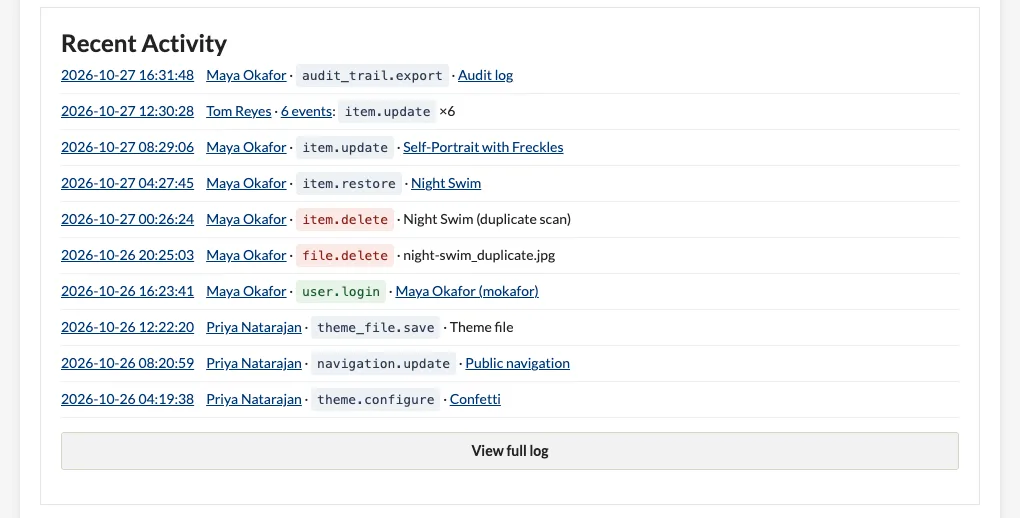
Click View full log to open the log. The panel is hidden while logging is turned off.
A user's Activity tab
Open a user from Users (top of the admin): next to General, Change Password and API Keys there is an Activity tab, at /admin/audit-trail/user/<id>. It lists, newest first:
- everything the user did, and
- what happened to their account: edits and role changes by others, their logins and logouts, and failed logins with their username.
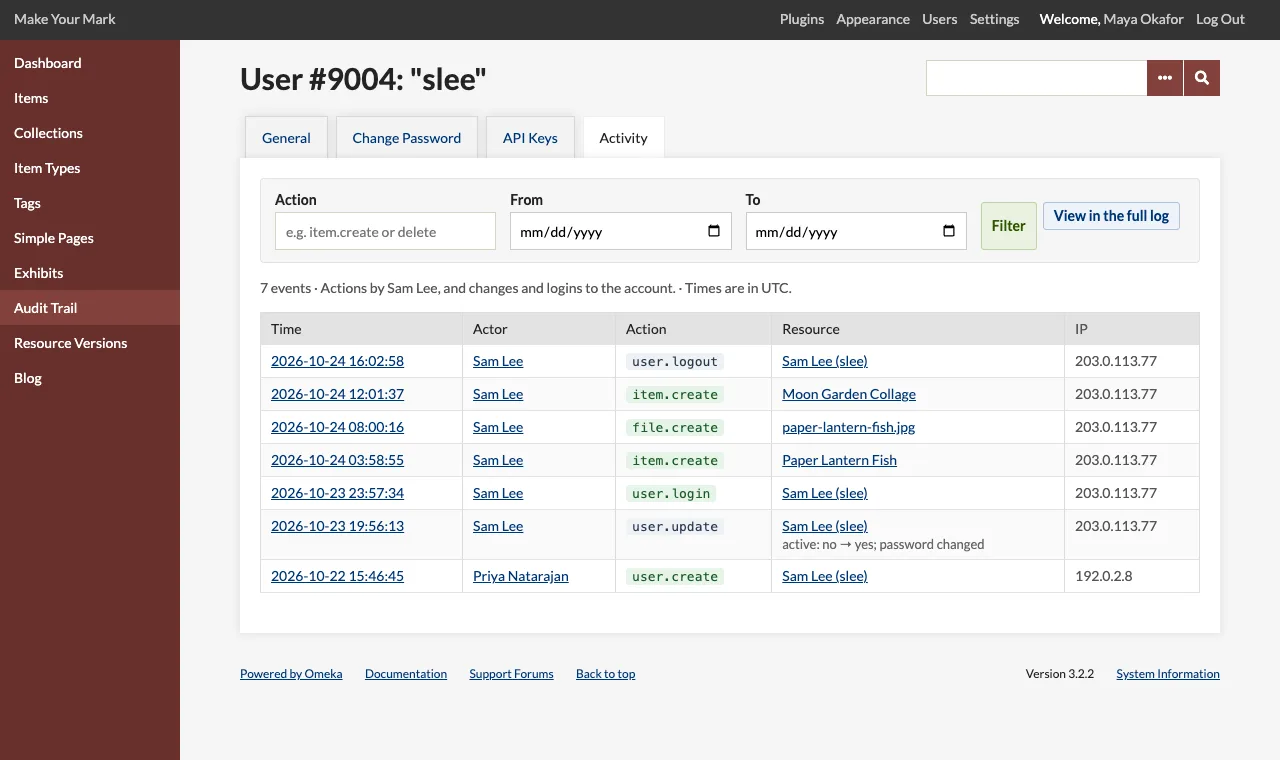
The tab has its own filters:
| Filter | Matches |
|---|---|
| Action | Like the log's: login matches anywhere; user. from the start. |
| From / To | A range of days, inclusive. |
- Enter a filter and click Filter.
- Click Clear to remove the filters.
- Use Newer and Older below the table to move through the pages; the page size follows the Entries per page setting.
Click View in the full log to open the log filtered to this user's ID, where you can add resource type filters or export.
Admins (when allowed to view the log) see the tab on their own account; only Super Users can open other users' accounts in Omeka Classic, but the log itself shows everyone's activity.
On the user page
The user page at /admin/users/show/<id> lists the user's ten latest events below their details, with a link to the Activity tab when there are more.
Deleted users
Entries keep the actor's name and ID after the account is deleted. The entry page marks the actor since deleted, and their activity is in the log with the actor filter set to their ID (/admin/audit-trail?actor=<id>).