Open OG Images, then a template's name (or Add a template under a kind of page).
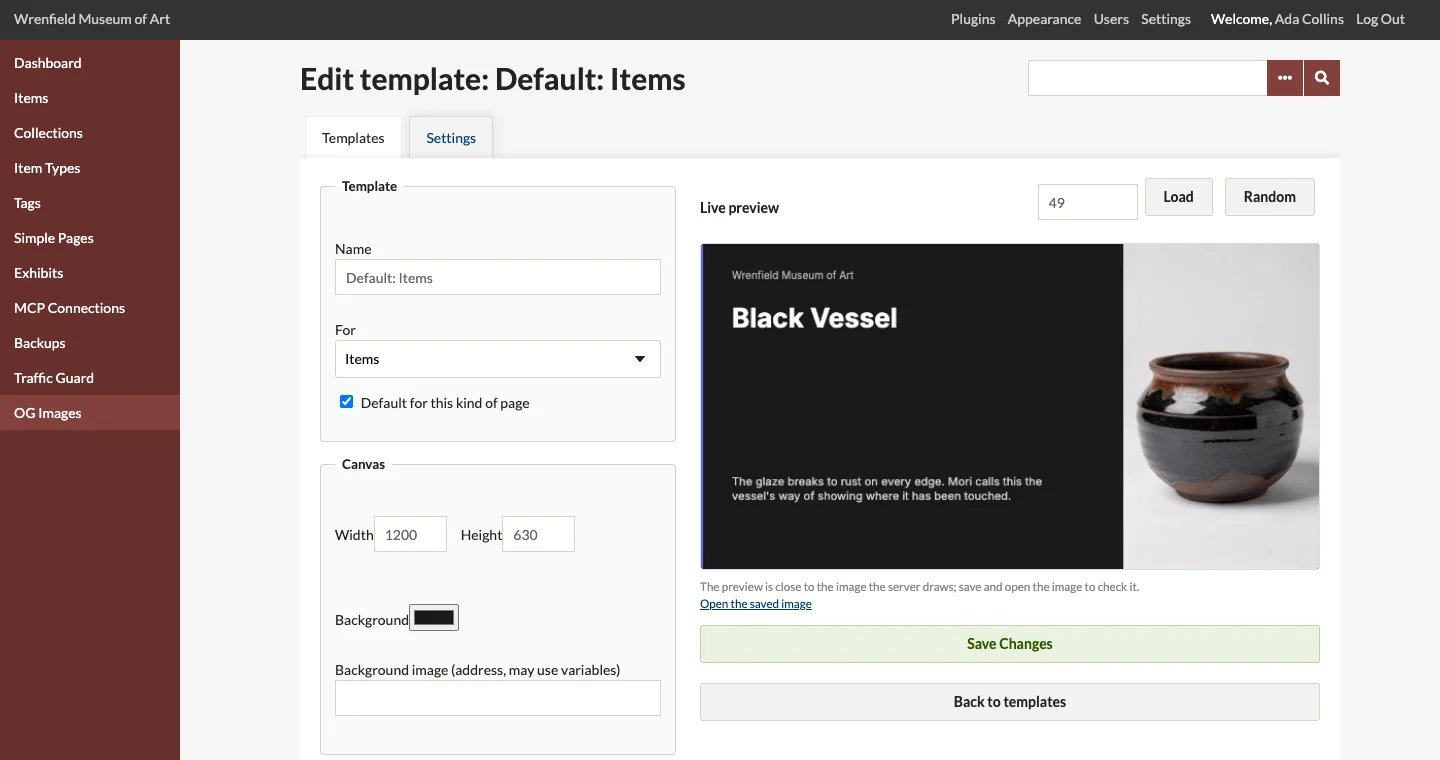
The live preview
The right side draws the template with a real record: the newest of its kind at first. Enter another record's ID and click Load, or click Random. For search results, enter the words searched for. The preview is drawn by your browser and is close to the image the server draws; Open the saved image shows the real one after you save.
Starting from a preset
Style presets fill in the layers at once: Split Panel, Full Bleed, Minimal Light, Dark Immersive, Editorial and Bold Accent. Each uses the right variables for the template's kind of page (a title, a description, an image, a byline). Change anything afterwards.
Layers
Layers are drawn top to bottom in the list, each over the ones before it. + Add layer adds a text, image, rectangle or line layer; each layer's fields appear when you open it:
- Text: the words, with variables, and their position, size, weight, color, wrapping width, number of lines and line height. Text that does not fit ends with "…".
- Image: an address (usually a variable such as
{{item.thumbnail_url}}), a fallback for pages without one (such as{{site.logo_url}}), position and size, fit (cover, contain or stretch), a color tint, a fade from an edge, rotation and a drop shadow. Image layers with no address are left out. - Rectangle and line: a colored block, for bands, rules and panels.
Show the layers as JSON shows the layers as text, to copy a template to another site or to edit many values at once. See Layout JSON.
Variables and filters
Put a page's details into text and image addresses with {{variable}}: the variables each kind offers are listed in Template Variables. Filters change them: {{item.description | truncate(120)}} keeps 120 characters, | upper and | lower change the case, | default(Untitled) gives a fallback for an empty value. Filters can be chained.
The canvas
1200 × 630 pixels suits every network. Background is the canvas color; Background image an image drawn across the whole canvas, which may use variables (for an image behind the text).
Saving
Save Changes saves the template. If it is the default for its kind, every page of that kind gets the new image the next time a network asks for it.