Every signed-in user has an inbox, whatever their role. Open it from Announcements in the admin sidebar, from the bell next to your name at the top of the admin, or with View Inbox on the dashboard.
The bell and the dashboard
The badge on the bell is the number of unread announcements; it disappears when there are none. The Announcements panel on the admin dashboard lists the five newest unread ones.

The inbox
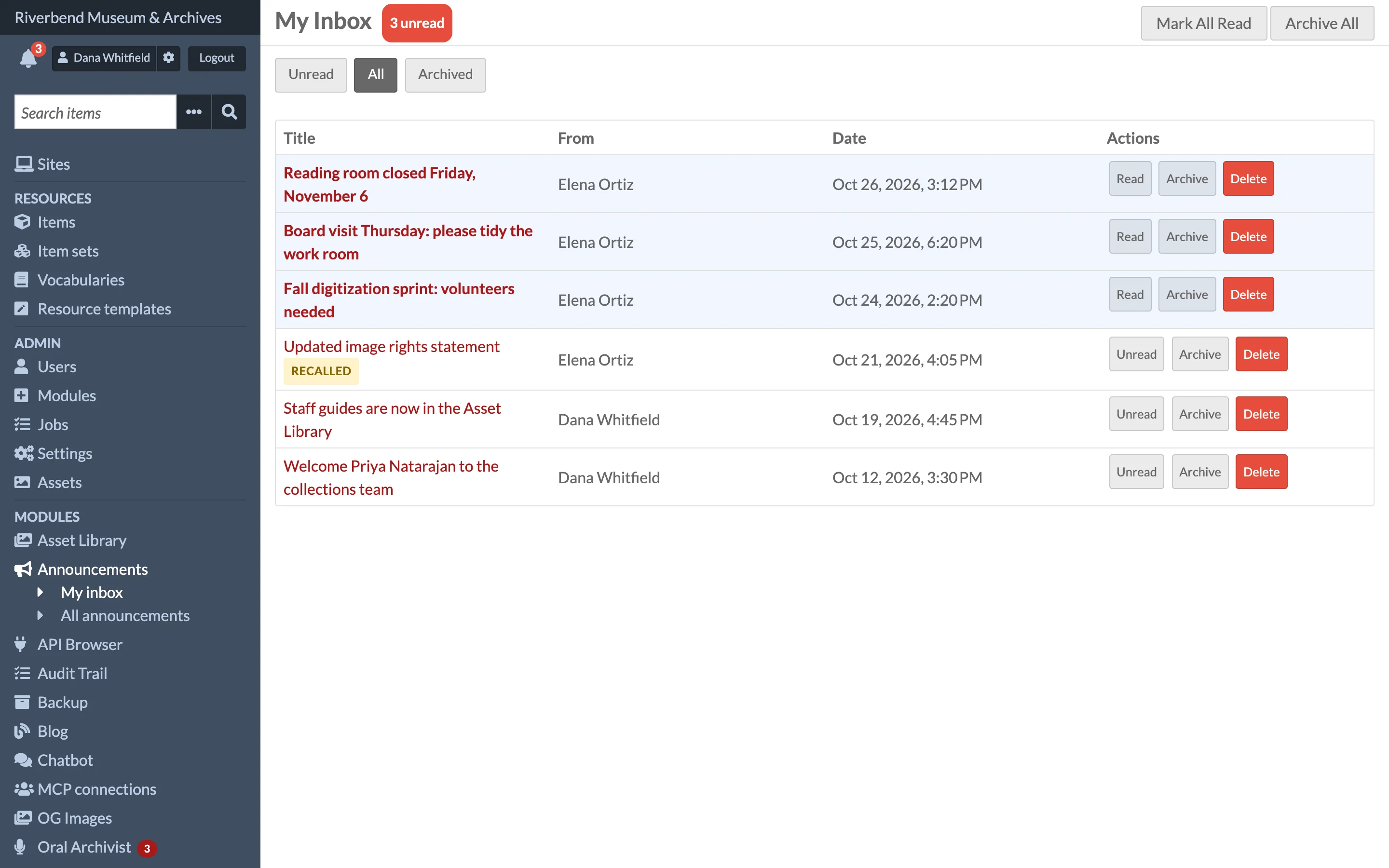
| Tab | Shows |
|---|---|
| Unread (the default) | Messages you have not opened, not counting recalled ones |
| All | Every message except archived and deleted ones; unread ones are in bold |
| Archived | Messages you archived, or that the cleanup archived after they expired |
Click a title to read the message. Opening it marks it read.
Managing messages
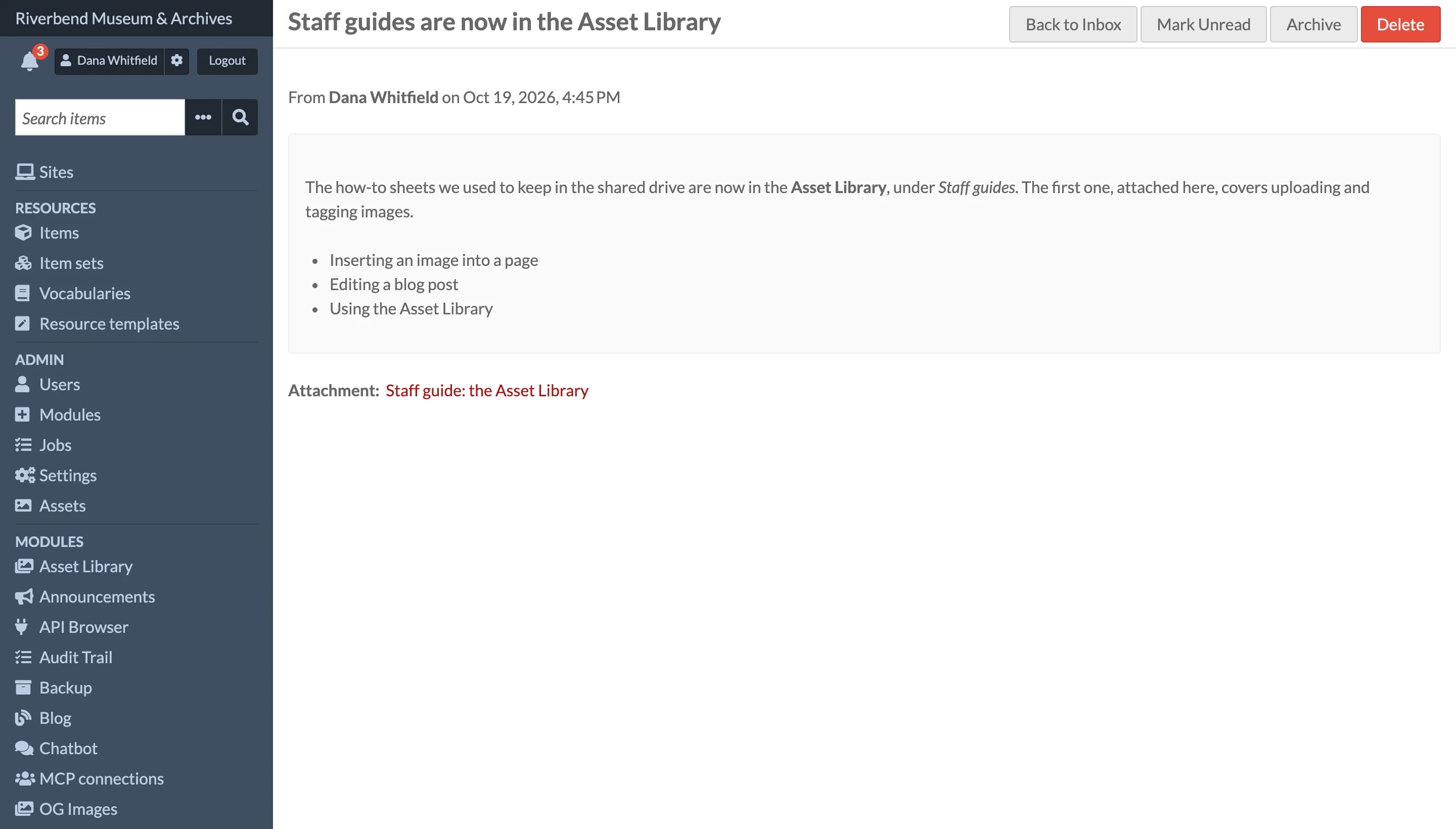
| Button | What it does |
|---|---|
| Read / Unread (Mark Unread on a message) | Marks the message read, or unread again |
| Archive | Moves it to the Archived tab |
| Delete | Removes it from your inbox. This cannot be undone, and only affects your own inbox |
| Mark All Read | Marks every unread message read |
| Archive All | Archives every message on the Unread and All tabs |
These change only your own inbox; the sender sees them in the announcement's delivery stats.
Recalled messages
When the sender recalls an announcement, it gets a Recalled badge and the notice This announcement has been recalled by the sender. It leaves the Unread tab, the bell and the dashboard, but stays under All so you can still see what it said.
Announcement emails
If the sender asked for an email copy, you receive it unless you have turned Receive announcement emails off on your user page under User settings. See Configuration.