Open API Browser in the admin menu, or go to /admin/api-browser.
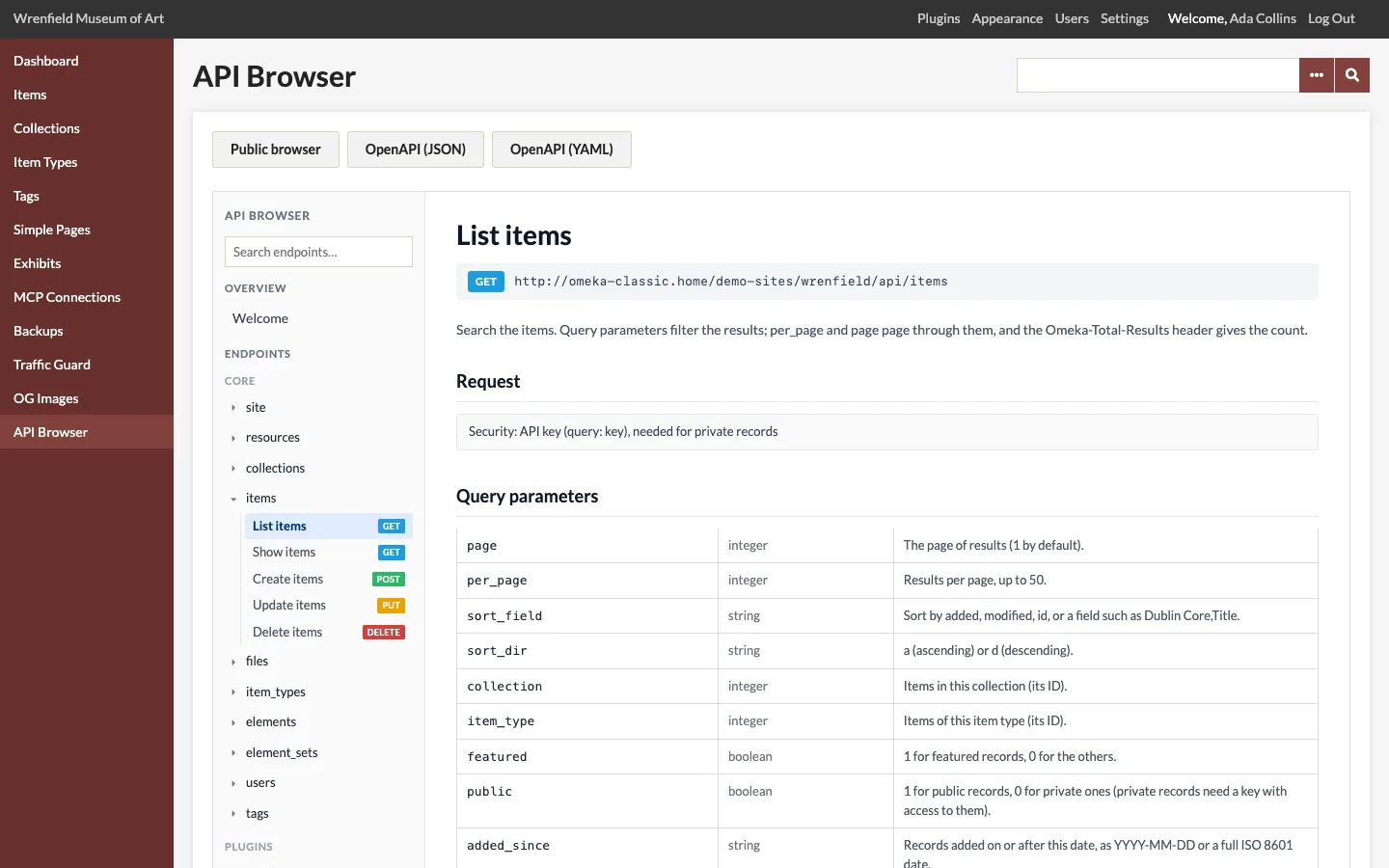
The resources
The sidebar lists every resource of the API: Omeka's own under Core (site, resources, collections, items, files, item_types, elements, element_sets, users, tags) and those plugins add under Plugins (Simple Pages adds simple_pages, Exhibit Builder exhibits and exhibit_pages). A plugin's resources appear as soon as it is active.
Click a resource to see its operations:
| Operation | Request | What it does |
|---|---|---|
| List | GET /api/<resource> |
Searches, with query parameters, a page at a time. |
| Show | GET /api/<resource>/{id} |
Reads one record. |
| Create | POST /api/<resource> |
Adds a record from a JSON body. |
| Update | PUT /api/<resource>/{id} |
Changes the fields sent. |
| Delete | DELETE /api/<resource>/{id} |
Deletes a record. |
Only the operations the resource offers, and that your role may use on at least your own records, are listed.
The search box above the list finds resources by name and by the keys of their JSON: type element_texts to find every resource with metadata.
An operation's reference
- The address and its HTTP method.
- Request: whether a key is needed. Reading public records needs none; private records and every change need an API key.
- Path parameters: the
idof the record. - Query parameters (List):
page,per_page(up to the API's results per page),sort_fieldandsort_dir, and the resource's own filters, such ascollection,item_type,tags,featured,added_sinceorsearchfor items. - Body (Create, Update) and Responses: the keys of the resource's JSON with their type and what they hold, the status codes to expect, and an Example from a real record of your site, as you see it.
The OpenAPI file
OpenAPI (JSON) and OpenAPI (YAML) at the top download the whole API as an OpenAPI 3.1 document. See OpenAPI Export.