Every operation has a panel to send it to your site and see the answer: beside the reference on wide screens, under it on narrower ones.
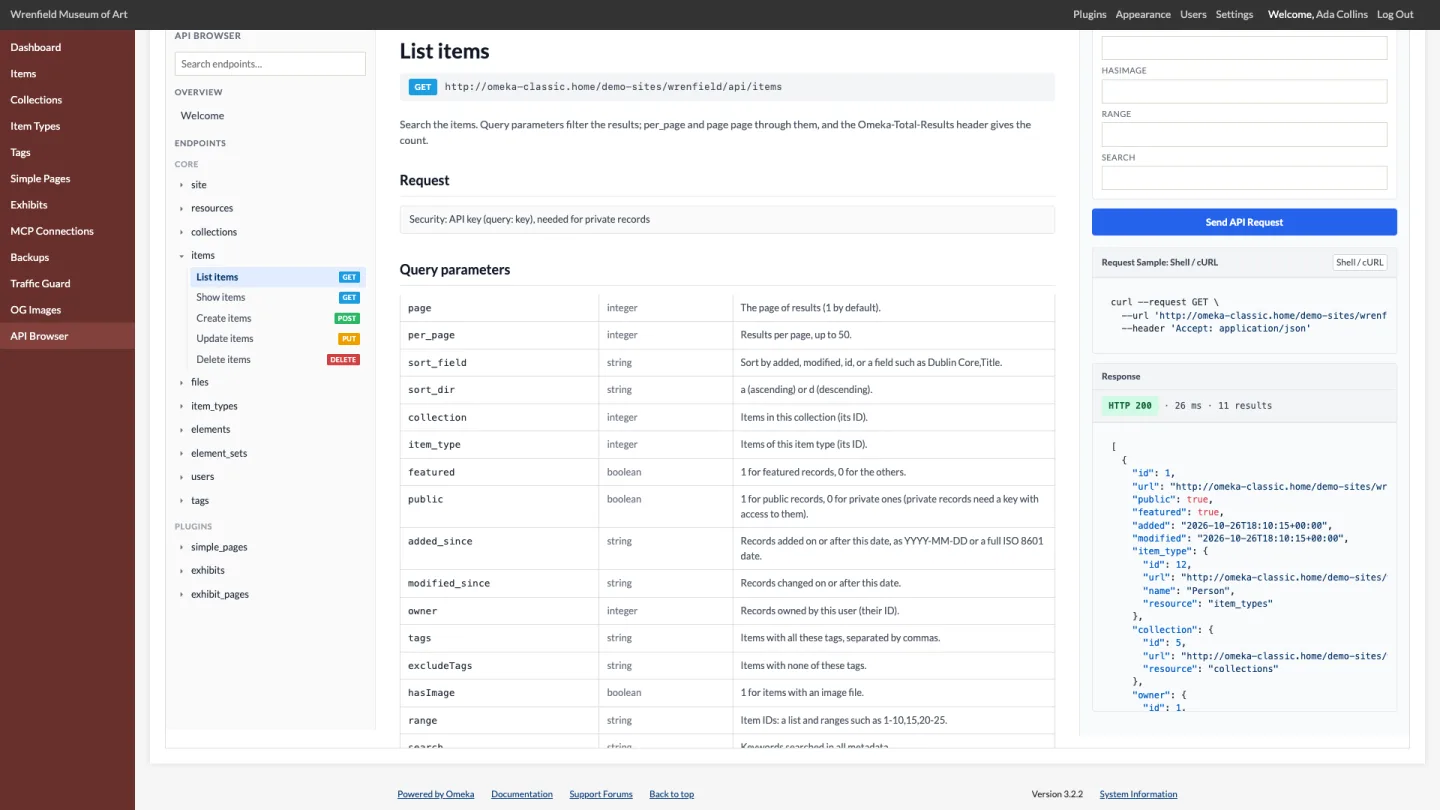
Sending a request
- Choose an operation in the sidebar.
- Fill in what it needs: the
idfor Show, Update and Delete; query parameters for List; the JSON body for Create and Update. The body starts as a record of your site, without what Omeka sets itself, ready to change. - Click Send API Request.
The Response shows the HTTP status, the time it took, the number of results of a search (Omeka's Omeka-Total-Results header) and the JSON.
How requests run
The REST API only accepts API keys, never your admin session. So the browser runs requests in Omeka as you, signed in, the way the API itself does: the same record adapters, permission checks, paging, headers and error messages. That means:
- You need no API key to try the API here.
- The answer is the one the API gives your key: the same records, the same JSON, the same errors.
- Changes are real. Create adds a record, Update changes it and Delete deletes it, as in the admin.
| Operation | What changes |
|---|---|
| Create | A new record with the fields of the body. 201, the new record, and its address in Location. |
| Update | The fields you send replace the record's values; fields you leave out are kept. element_texts is one field: send it and it replaces all of the record's metadata, so include every text to keep (start from the record's Show). |
| Delete | The record, as the admin's Delete does. 204, no body. |
Files cannot be added from the browser: the API takes them as a multipart upload (the file and its JSON), which the page cannot send. The Create files code sample shows how.
A plugin resource with its own API controller (rather than Omeka's record adapters) answers 501 here: send it with the code sample and an API key.
Errors
| Status | Meaning |
|---|---|
| 400 | The body is not a JSON object, a query parameter is not one the resource understands, or the record did not validate: errors names the fields. |
| 403 | Your role may not do this to this record, or the API is turned off. |
| 404 | No record with this ID, or no such resource. |
| 405 | The resource does not offer this operation, or the ID is missing (or should not be there). |
| 500 | Something failed in Omeka or a plugin; the message is in the body. |