The browser needs no configuration to document and test the API. The one optional setting controls the public browser.
Public visibility
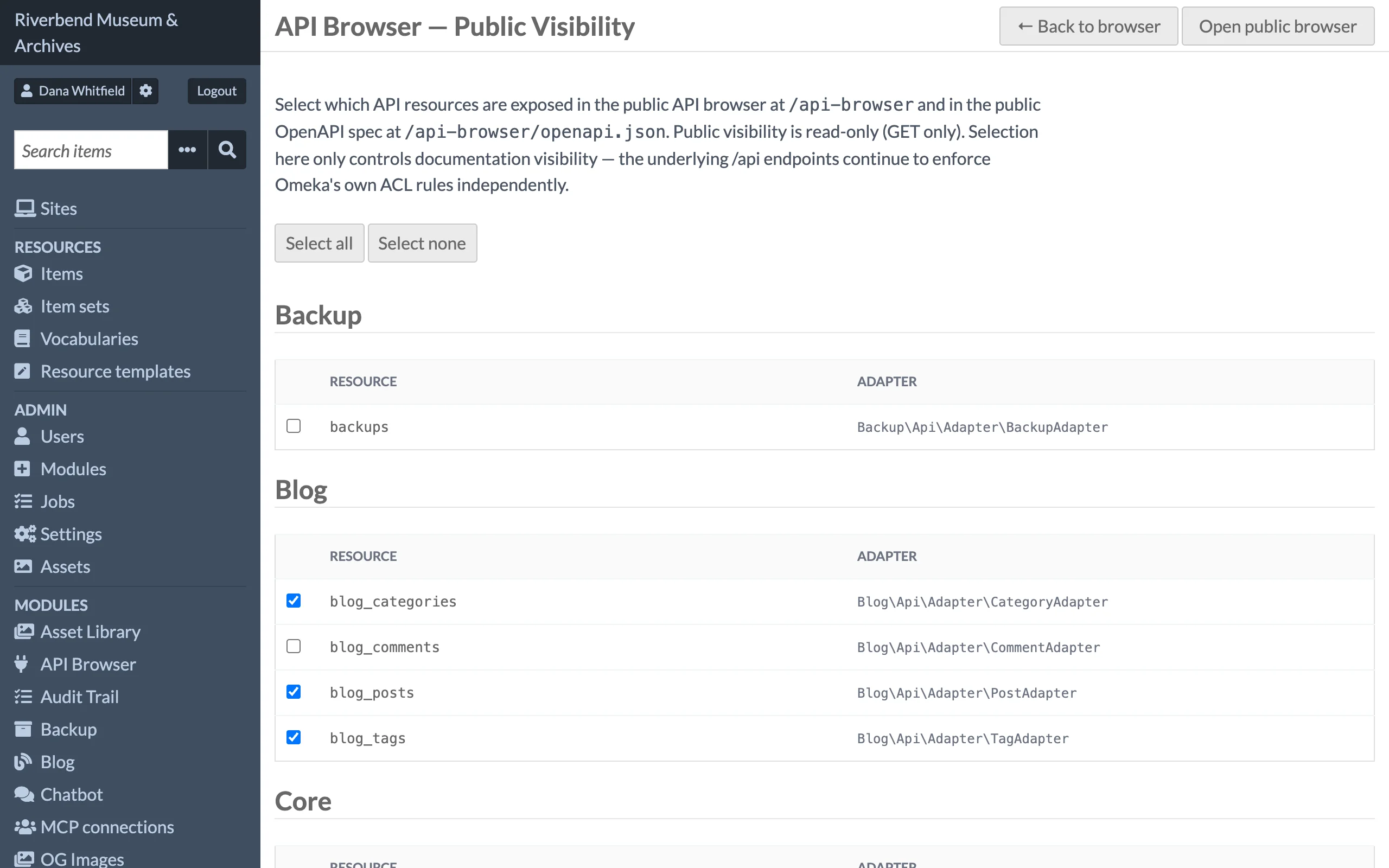
Open the browser and click Public visibility in the page actions (visible to site admins and global admins). The page lists every discovered resource grouped by module with a checkbox for each. Click Save settings at the bottom of the page to apply.
| Setting | Effect |
|---|---|
| Checked resources | Appear in the public browser at /api-browser and in the public OpenAPI spec at /api-browser/openapi.json. |
| No resources checked (default) | The public browser and its spec are empty. |
The public browser is read-only: it documents GET search and read operations only, and requests sent from it go to /api as an anonymous visitor.
This setting controls documentation visibility only. The real /api endpoints continue to enforce Omeka's own permission rules regardless of what is listed here, so unchecking a resource does not hide it from the API and checking one does not open it up.
Permissions
| Role | Browse and read schemas | Send requests | Public visibility settings |
|---|---|---|---|
| Researcher, Author, Reviewer, Editor | ✓ | ✓ | — |
| Site Admin, Global Admin | ✓ | ✓ | ✓ |
| Anonymous visitor | Public browser only | — | — |
Sending a request never grants extra rights. Each request runs through Omeka's API manager as you, so a write that your role cannot perform in the normal admin fails here with a 403 as well. The operations listed for each resource reflect what your role is allowed to do.