Every operation has a request console in the right-hand column that lets you run the call against your own installation and see the result.
Building a request
- Choose the operation under the resource in the sidebar: List, Show, Create, Update or Delete.
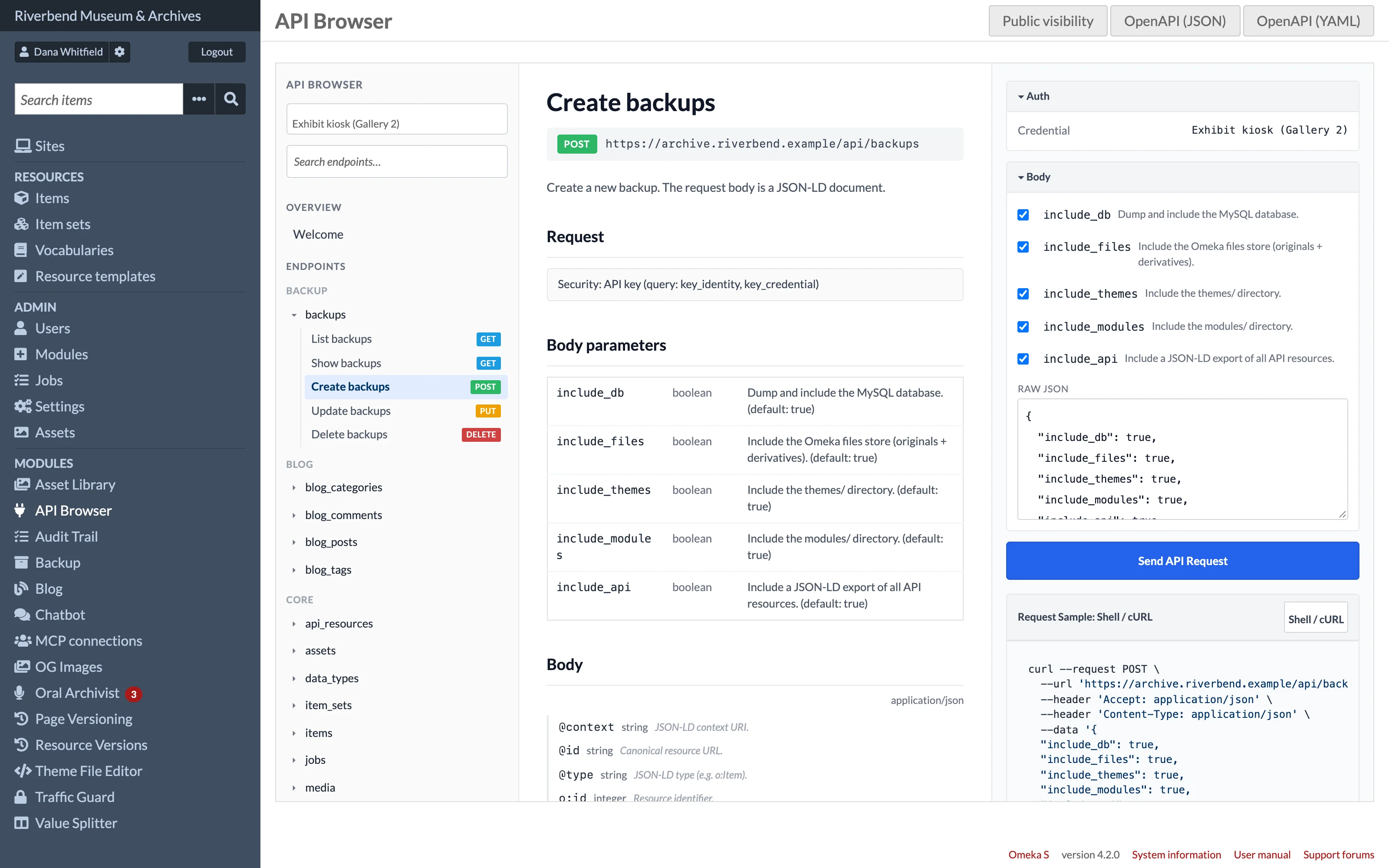
- Fill in the panels the console offers: an
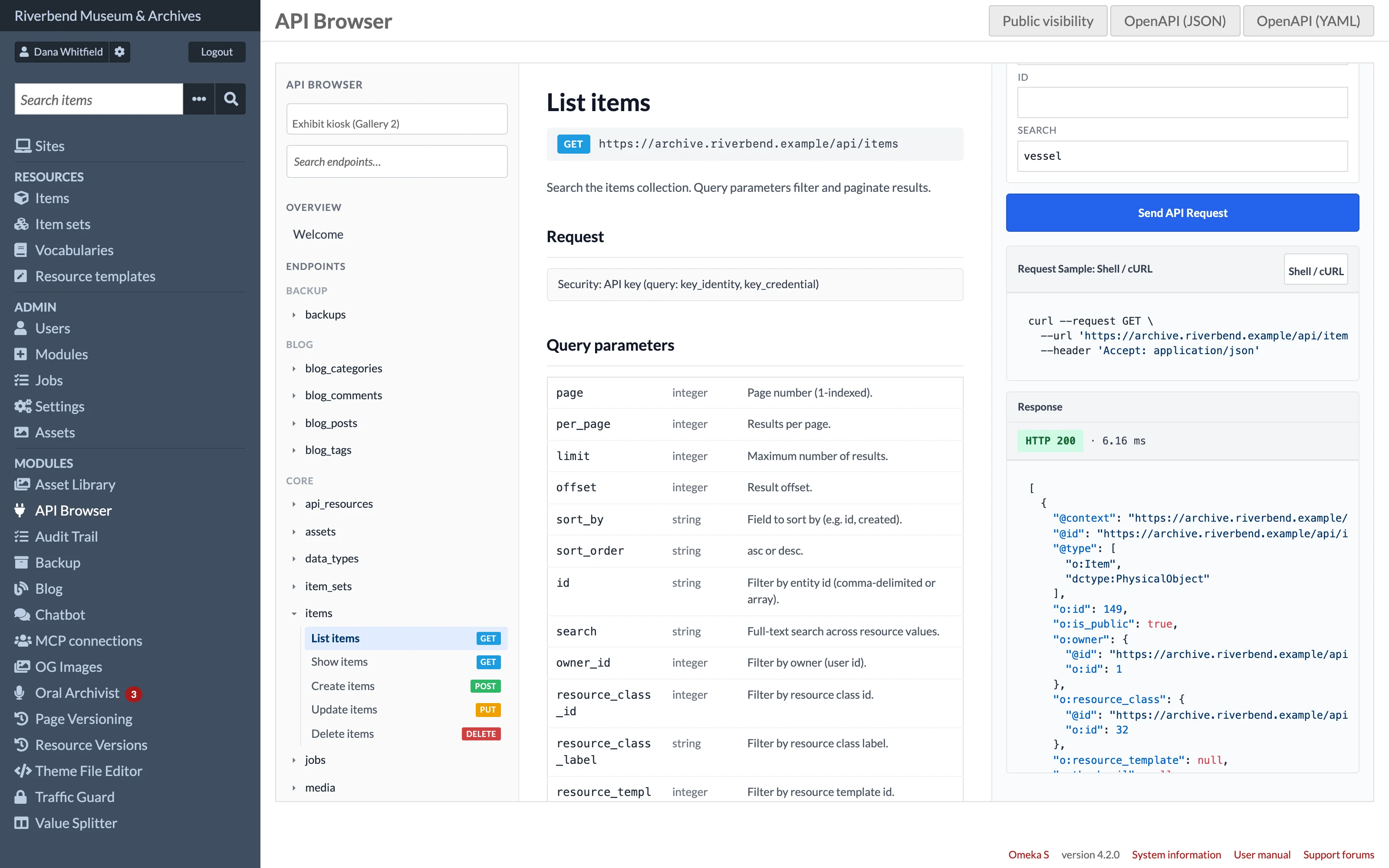
idin Path for Show, Update and Delete, query parameters in Query for List (the first eight parameters of the reference), and a JSON body in Body for Create and Update. When the resource's module documents its body fields, they appear as fields above the Raw JSON editor; changing a field updates the JSON. - Click Send API Request.
The Response panel shows the HTTP status, the time taken, and the JSON body with syntax highlighting.
How requests run
Requests do not leave the server. They are executed through Omeka's API manager in the same way the admin interface itself works, as the user who is logged in. That has three consequences:
- No API key is needed to send requests from the browser.
- Permissions are exactly those of your Omeka role. A request your role cannot make returns a 403.
- Writes are real. A Create makes a resource, an Update changes one and a Delete removes it.
| Operation | HTTP method | What runs |
|---|---|---|
| List | GET on the collection |
search with your query parameters |
| Show | GET on an item |
read |
| Create | POST |
create with the JSON body |
| Update | PUT |
update with the full JSON body |
| Delete | DELETE |
delete |
The browser sends updates as PUT, which replaces the resource: keys missing from the body are removed. To change only a few keys, send PATCH to Omeka's REST API from your own code. Even with PATCH, Omeka's default collection behaviour can remove resource values that are not included in the body, so check the response.
Error responses
| Status | Meaning |
|---|---|
| 403 | Your role is not allowed to perform the operation. |
| 404 | No resource with that id. |
| 422 | Validation failed. The body includes an errors map from the API's error store. |
| 405 | The method is not supported for the resource. |
| 500 | The adapter threw an unexpected error; the message is in the body. |