API Browser can publish a read-only version of the documentation for developers who do not have an admin account.
Enabling it
- Open API Browser in the admin and click Public visibility.
- Tick the resources to expose. Select all and Select none are available for large lists.
- Click Save settings.
Until at least one resource is selected, the public pages are empty.
Only Supervisors and Global Administrators can change these settings. Other roles do not see the Public visibility button, and opening /admin/api-browser/settings shows them Omeka's Forbidden page (HTTP 403).
Where it lives
| Page | URL |
|---|---|
| Public browser | /api-browser |
| Public OpenAPI (JSON) | /api-browser/openapi.json |
| Public OpenAPI (YAML) | /api-browser/openapi.yaml |
The public browser is served at the site root, not under a site slug, and uses the same interface as the admin browser without the credential selector.
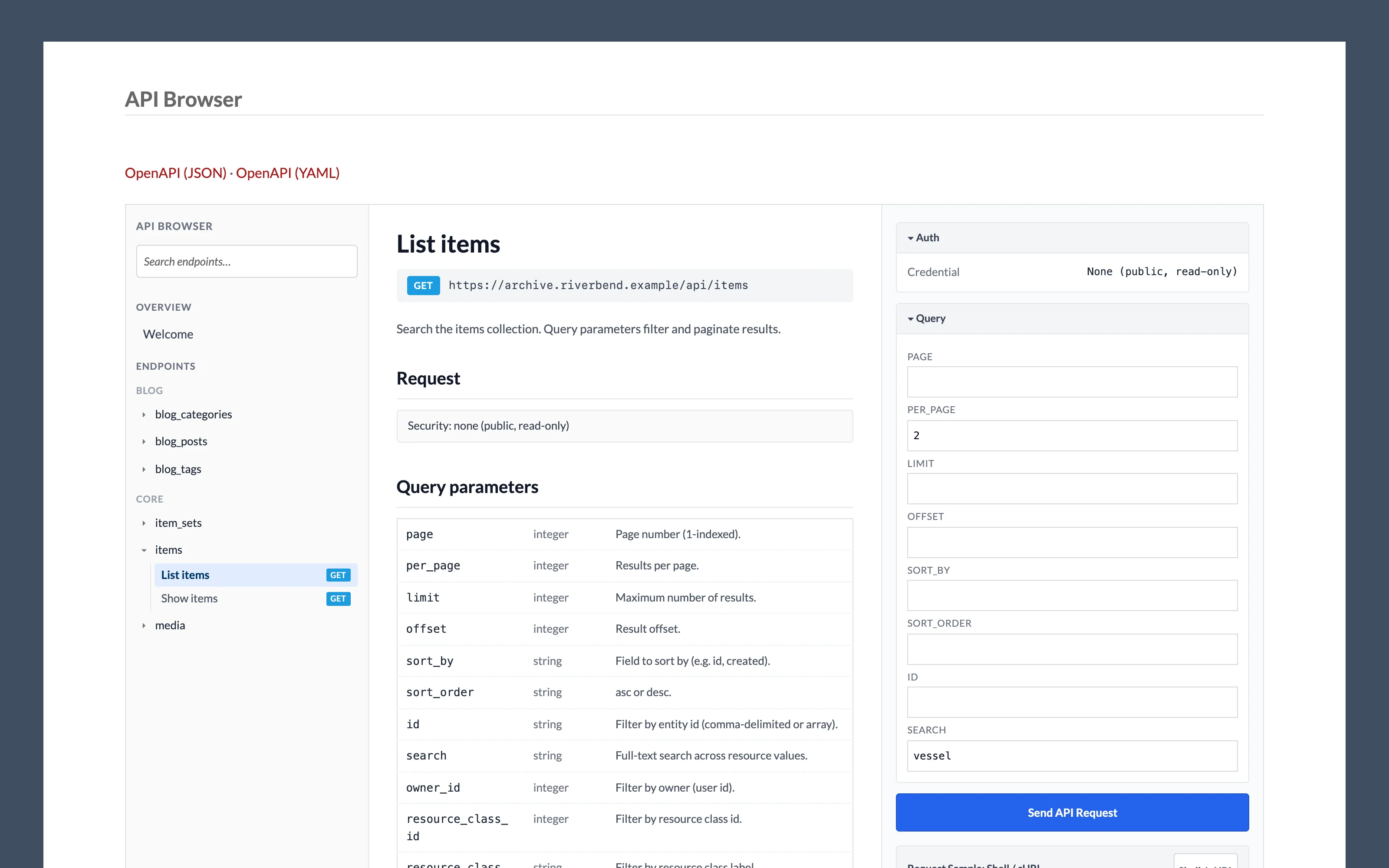
What visitors see
- Only the resources you selected.
GEToperations only: search and read. Create, update and delete are never shown, whatever the resource allows.- The same query parameter, JSON-LD key and schema reference as the admin browser, and the same code examples without a key filled in.
- A Send API Request button. Requests from the public browser go straight to your
/apiendpoint as an anonymous visitor, so they return only what Omeka already shows the public. The Auth panel says so: its credential is None (public, read-only), even for a visitor who is signed in to Omeka.
Listing a resource here does not change who can call the real API. Anonymous requests to /api are still governed by Omeka's permissions, which for most resources means public items are readable and everything else requires a key.