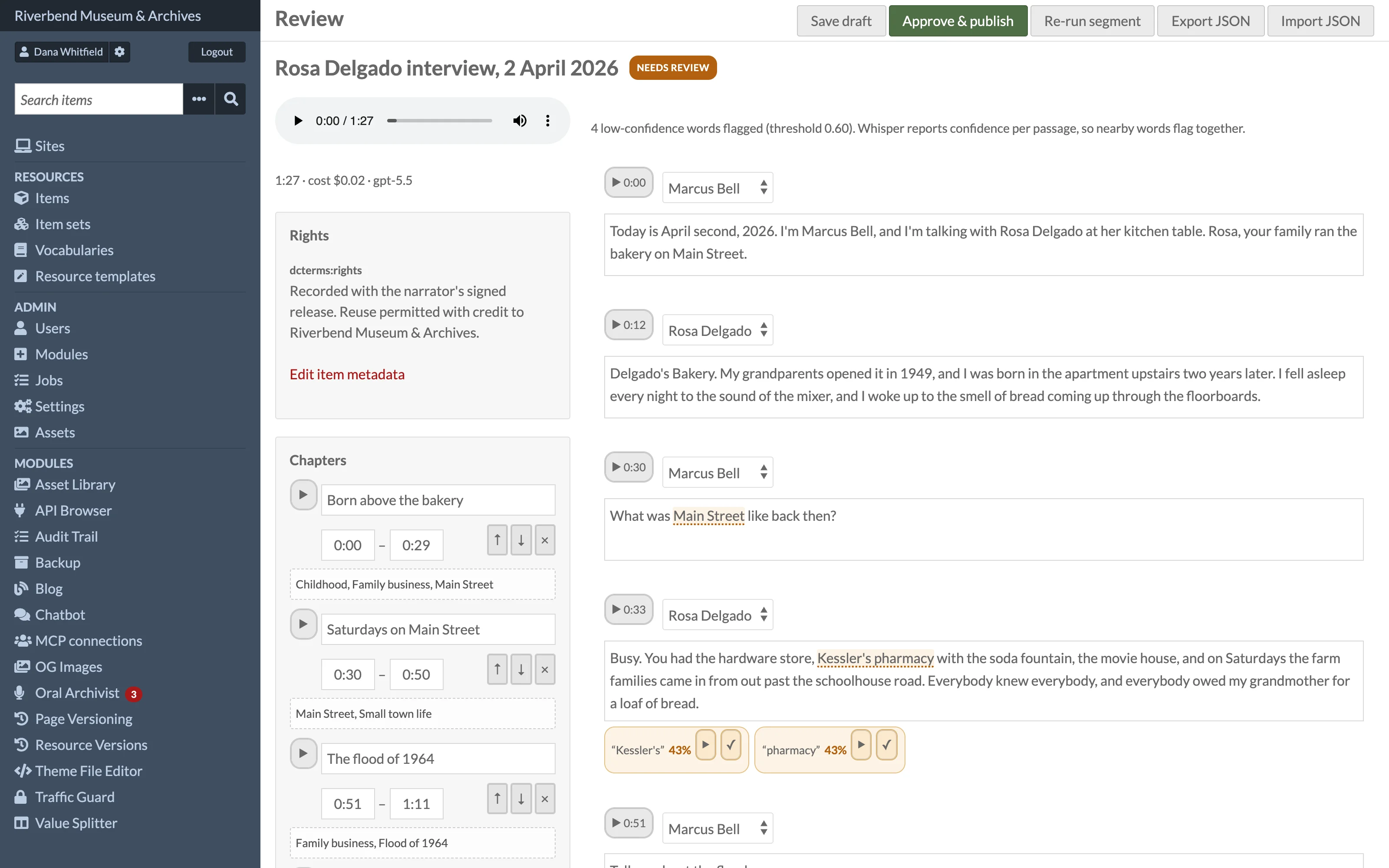
Open Oral Archivist in the admin sidebar to see the review queue, then open an interview to review it. Nothing is visible to the public until it is approved here.
The review screen
- A seekable player at the top. Clicking a paragraph or a chapter seeks to it.
- The transcript as editable paragraphs, each with a speaker tag and start time.
- The chapter list with inline editing of titles, times and topics.
- Flags for low-confidence passages.
- The summary panel, when summaries are enabled.
Changes are kept when you click Save draft or Approve & publish. Save draft leaves the interview in the review queue.
Fixing flagged passages
Words below the confidence threshold are highlighted. Because Whisper reports confidence per passage rather than per word, nearby words flag together. For each flag:
- Click play snippet to hear the passage. Playback starts three seconds before the flagged words.
- Edit the paragraph text as needed.
- Mark the passage reviewed with its tick button to clear the flag.
Editing paragraphs
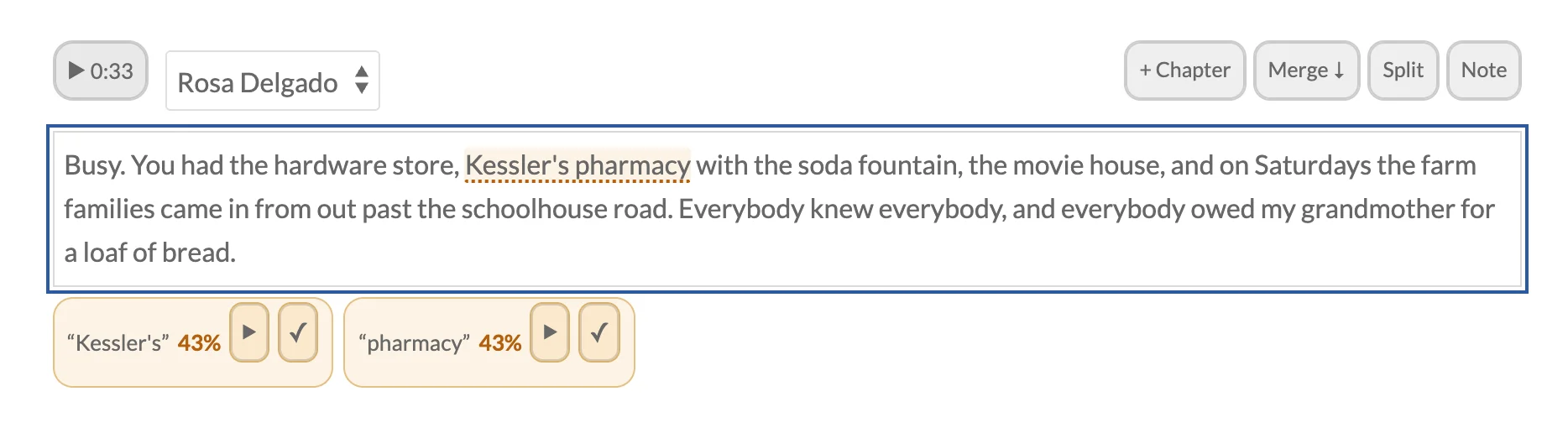
Paragraph text is edited in place. Hovering a paragraph, or clicking into its text, reveals tools:
- + Chapter creates a chapter from the paragraph's time range, titled from its first words.
- Merge ↓ joins the paragraph with the next one.
- Split breaks the paragraph at the cursor. Word timings for the new paragraphs are taken from the raw transcript, never invented. A split that would cut through a footnote is refused.
Speakers
Whisper does not identify speakers. Add the people in the interview in the Speakers panel, then pick a speaker for each paragraph from the drop-down beside its start time; names are reused across the interview.
Chapters and topics
Adjust chapter titles and boundaries, add or remove chapters, and edit each chapter's comma-separated topics. Topics are shared across interviews on the site and drive the public topic pages. See Segments and Topics.
Re-run segment asks the model for a fresh set of chapters. It regenerates chapters only and replaces your chapter edits.
Summary
When a summary property is configured, the summary panel shows the AI draft for editing. Generate/Regenerate summary with AI runs only the summary pass, so nothing else is re-billed. Use it for interviews processed before summaries were enabled.
Publishing and unpublishing
Approve & publish makes the interview public:
- The player appears on the media page and the item page of the sites where the item is assigned.
- The cleaned text is written to the ExtractText property of the media, so Omeka's site search finds the interview.
- If a summary property is configured, the summary is written to that property on the parent item. When an item has several published interviews, the property holds one value per interview.
- Word-level times used by search-to-moment are computed and stored.
Unpublish reverses all of it: the player disappears, the search text is cleared and the summary value is removed. The transcript returns to the review queue and can be published again later.
Published interviews cannot be reprocessed by the pipeline; unpublish first.