Where to find the settings
The same five settings can be edited in two places:
- Admin > Modules, then Configure next to ThemeFileEditor.
- The module's own page at
/admin/theme-file-editor/settings(the Settings button at the top of the editor page, or Theme File Editor > Settings in the admin sidebar). Click Save Settings to apply.
All settings are global. There are no per-site settings.
Settings
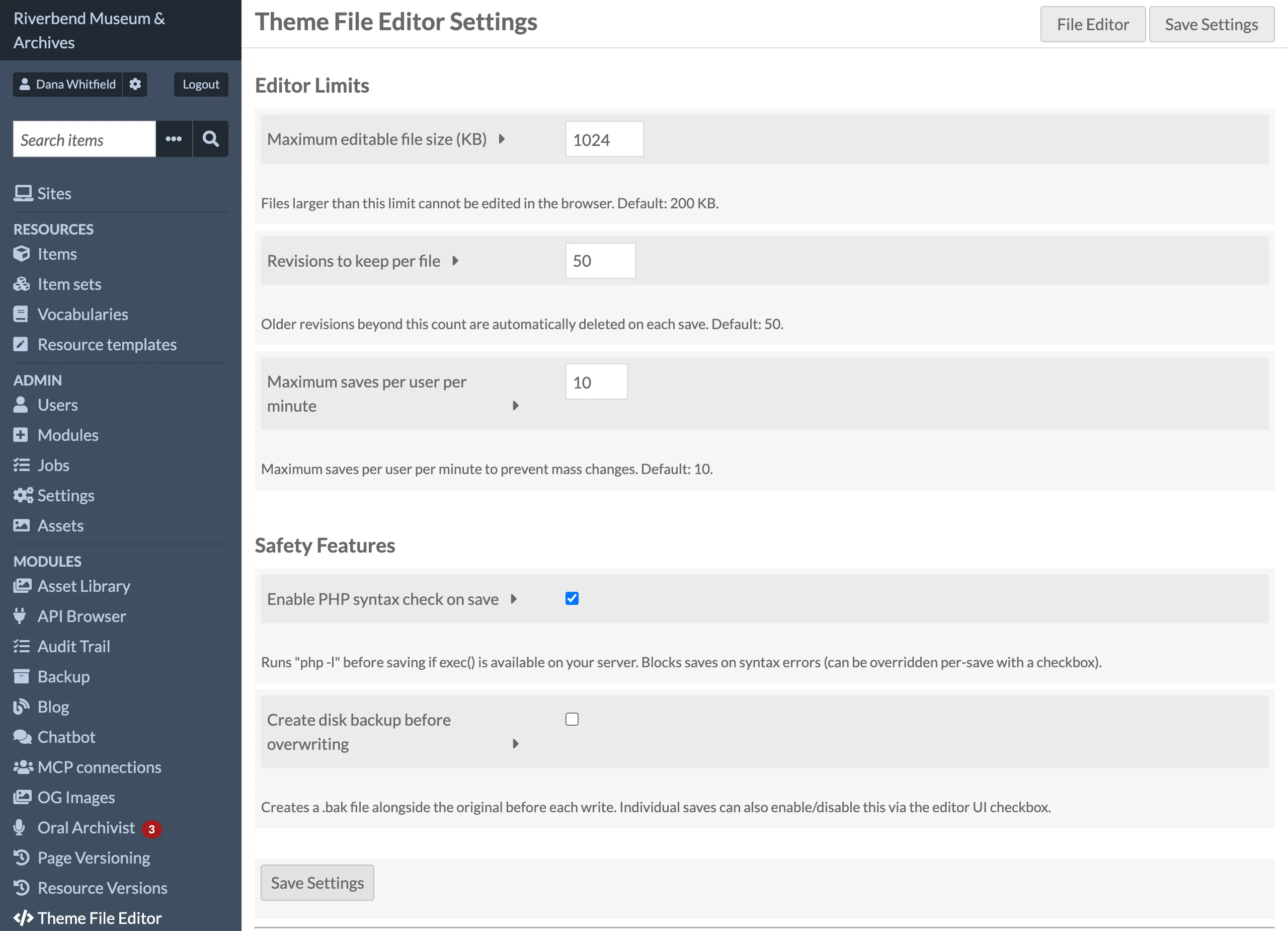
| Setting | Default | Description |
|---|---|---|
| Maximum editable file size (KB) | 200 |
Theme files larger than this cannot be opened in the editor, and content larger than this is rejected on save. Range 1 to 10240. |
| Revisions to keep per file | 50 |
After each save, older revisions of that file beyond this count are deleted. Pruning runs per file, only when that file is saved. Range 1 to 1000. |
| Maximum saves per user per minute | 10 |
Cap on saves per user within a rolling 60-second window. The window start and count are stored per user in Omeka's user_setting table (key theme_file_editor_rate_limit), so the limit is enforced across separate requests and PHP-FPM workers. Saves over the limit are rejected with a Rate limit exceeded error. Range 1 to 100. |
| Enable PHP syntax check on save | Enabled | Runs php -l on the new content before writing. A syntax error blocks the save unless the user ticks Save anyway (override syntax check). When exec() is disabled, a heuristic check for unbalanced braces and stray ?> tags is used instead. |
| Create disk backup before overwriting | Disabled | Sets the default state of the Create disk backup checkbox next to the Save button when the editor page loads. The checkbox can still be toggled for an individual save; the checkbox state at the time of saving decides whether a .bak copy is written. |
Setting keys, for reference when reading or writing them from another module: tfe_max_file_size_kb, tfe_revisions_to_keep, tfe_rate_limit_per_minute, tfe_syntax_check_enabled, tfe_backup_on_save.
Permissions
Access is all or nothing. The module keeps its rule on one ACL resource, ThemeFileEditor\Permission\Editor, and allows every privilege on it to the global_admin and site_admin roles. Every page and API action checks this rule before doing anything. (Its two controllers are open to every signed-in user in the ACL so that the module itself can refuse the others with a 403.)
| Role | Open editor, browse, search | Save, roll back, copy to theme, copy theme | Change settings |
|---|---|---|---|
| Researcher | no | no | no |
| Author | no | no | no |
| Reviewer | no | no | no |
| Editor | no | no | no |
| Site Admin | yes | yes | yes |
| Global Admin | yes | yes | yes |
Users without access do not see the sidebar links, and a direct visit to /admin/theme-file-editor returns Omeka's Forbidden page (HTTP 403). API calls return HTTP 403 with {"ok": false, "error": "Access denied."}.
Anyone who can save a .phtml file can execute arbitrary PHP on the server, because templates are PHP. Grant access to other roles only if you would also give those users shell access.
To grant access to another role, add ACL rules from another module's onBootstrap():
$acl = $event->getApplication()->getServiceManager()->get('Omeka\Acl');
$acl->allow('editor', \ThemeFileEditor\Controller\Admin\EditorController::ACL_RESOURCE, null);
Before 1.0.4 the rule was on the controller classes (EditorController and ApiController). A rule added there no longer grants anything: move it to EditorController::ACL_RESOURCE.