The settings are under Plugins, on the Configure button of Resource Versioning (/admin/plugins/config?name=ResourceVersioning). Only super users can open it, as for every plugin. The Retention tab of Resource Versions links to it.
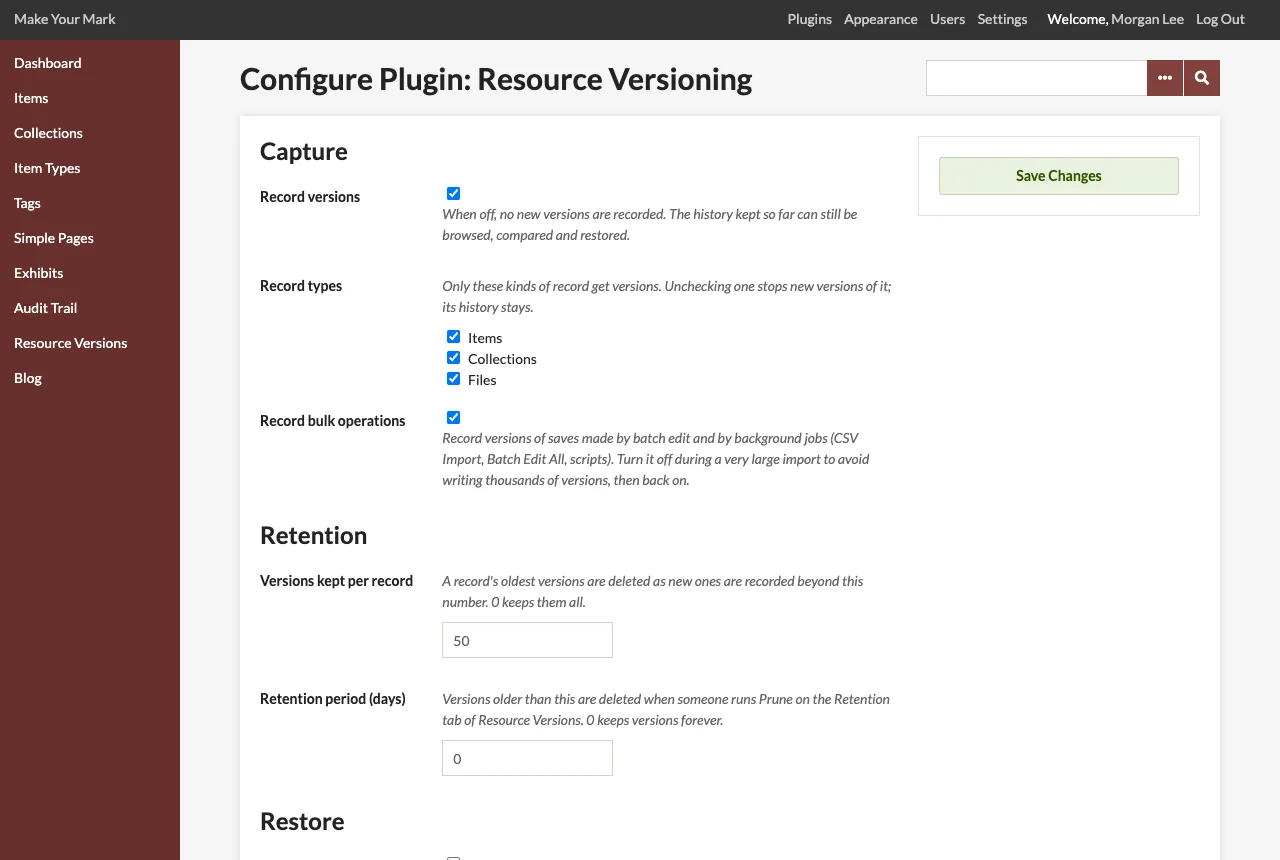
Settings
| Setting | Default | What it does |
|---|---|---|
| Record versions | On | When off, no new versions are recorded. The history kept so far can still be browsed, compared and restored. |
| Record types | Items, Collections, Files | Only the checked kinds of record get versions. Unchecking one stops new versions of it; its history stays. |
| Record bulk operations | On | When off, saves made by batch edit and by background jobs (CSV Import, Batch Edit All, scripts run from the command line) are not recorded. Turn it off during a very large import, then back on. Restores are always recorded. |
| Versions kept per record | 50 | Each time a version is recorded, the record's oldest versions beyond this number are deleted. 0 keeps every version. |
| Retention period (days) | 0 | Versions older than this many days are deleted when a super user runs Prune on the Retention tab. 0 keeps versions forever. |
| Restore the owner | Off | When on, restoring a version also sets the record's owner to the one in that version. When off, the current owner is kept. |
The settings are Omeka options named resource_versioning_enabled, resource_versioning_record_types, resource_versioning_capture_batch, resource_versioning_max_versions, resource_versioning_retention_days and resource_versioning_restore_owner.
The per-record limit applies at once, every time a version is recorded. The retention period applies only when the prune runs; see Retention and Pruning.
Permissions
Access follows the Omeka Classic roles. Omeka shows researchers and contributors every record in the admin, private ones too, so they also see every history.
| Role | History, versions, comparisons, bulk operations | Restore a record | Recreate a deleted record | Batch rollback | Prune | Settings |
|---|---|---|---|---|---|---|
| Researcher | Yes | - | - | - | - | - |
| Contributor | Yes | Their own records | Their own items and collections | - | - | - |
| Admin | Yes | Yes | Yes | Yes | - | - |
| Super User | Yes | Yes | Yes | Yes | Yes | Yes |
"Their own records" follows Omeka's own rule for editing: a contributor may restore what they may edit, the items and collections they own and the files of their items. Restore and rollback links are shown only to those who may use them, and the pages refuse everyone else.
The rules are on the ACL resource ResourceVersioning_Index, with the privileges browse, operations, record, show, compare, batch, retention (viewing), restore, rollback and prune. A plugin or theme can change them in its own define_acl hook.
Public site
The plugin adds nothing to the public site. The history is for the admin only.