Oral Archivist processes audio and video files already attached to items, so every way of adding files works: the item form, CSV Import, Dropbox and the REST API.
Supported files: mp3, wav, m4a, flac and ogg audio, and mp4, mov and webm video. Video needs ffmpeg, to extract its audio track.
Queueing an interview
There are three ways to start:
- From the file's page: on a file's admin page, the Oral History panel has Process with Oral History AI, with the estimated cost.
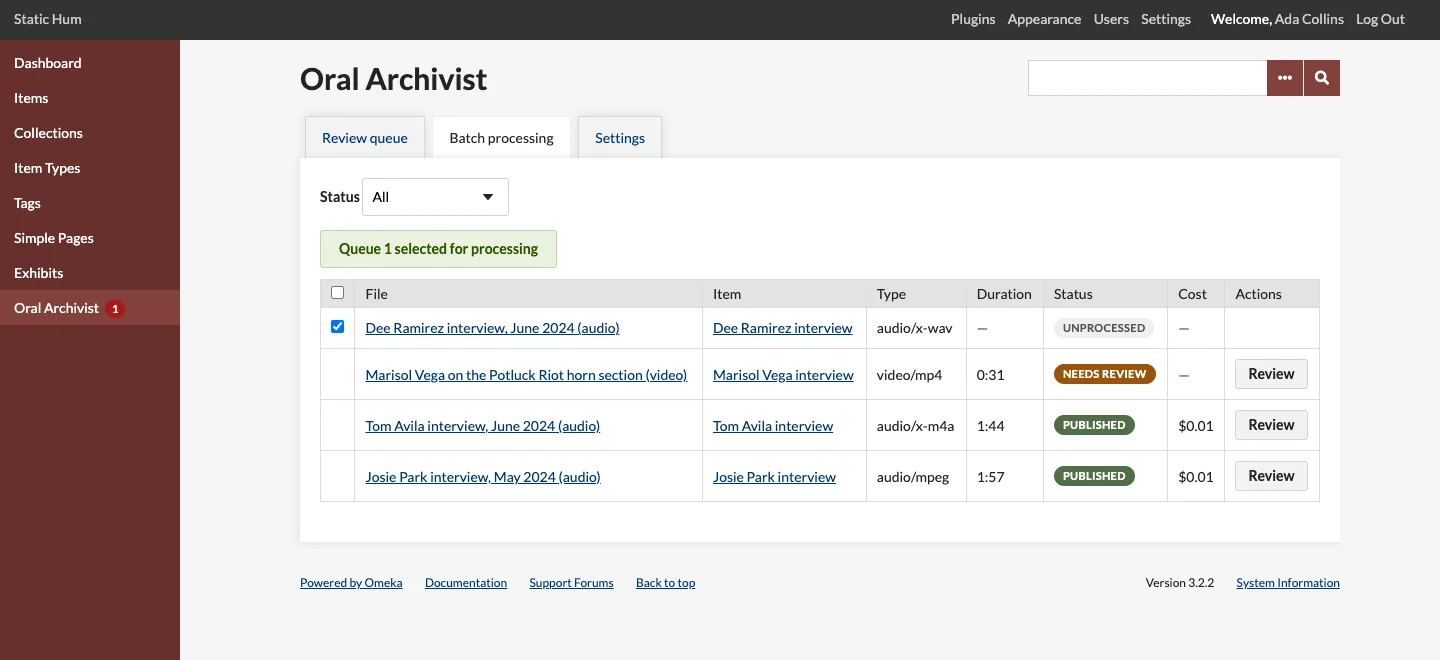
- From the batch screen: open Oral Archivist > Batch processing, filter by status, tick the files you want and click Queue selected for processing. The confirmation shows the estimated cost of the selection.
- Automatically: turn on Queue new audio and video in the settings. New files are queued as they are added, within the daily cap and the monthly budget.
Queueing is refused when the monthly budget would be exceeded.
The pipeline
Each interview runs as one background job, through these stages:
| Stage | What happens |
|---|---|
| Extract audio | The original is converted to compact mono 16 kHz MP3 (and a video's audio track extracted). Recordings over the provider's upload limit are split into chunks with a short overlap. |
| Transcribe | Whisper returns the text with word-level timestamps. The raw result is kept. |
| Cleanup | A language model turns the raw text into readable paragraphs, keeping the timestamps. |
| Segment | The model proposes chapters with titles and topics, given the topics already in use so new interviews converge on established tags. |
| Summarize | Only when a summary element is chosen in the settings. An editable summary of the interview. |
The interview's status moves from Queued through Extracting audio, Transcribing, Cleaning up and Segmenting to Needs review, or to Failed when a stage runs out of attempts. Each interview keeps a processing log, shown on its review screen.
Retries and failures
A failed stage is tried again automatically, after a pause, up to Attempts per stage. When it still fails, the review queue shows the stage and the provider's error, with Retry. A retry resumes at the stage that failed: completed stages are not run or billed again.
A job that stopped without finishing (the server restarted, say) shows as Stalled after two minutes without progress, and can be retried the same way. Two jobs never work on the same interview at once.
What happens next
Interviews that need review are listed under Oral Archivist in the admin menu, with their count as a badge. See Reviewing Transcripts.