The Call to Action block asks visitors to do something: visit, donate, join, contribute. It shows a heading, a short text and up to three buttons on a panel.
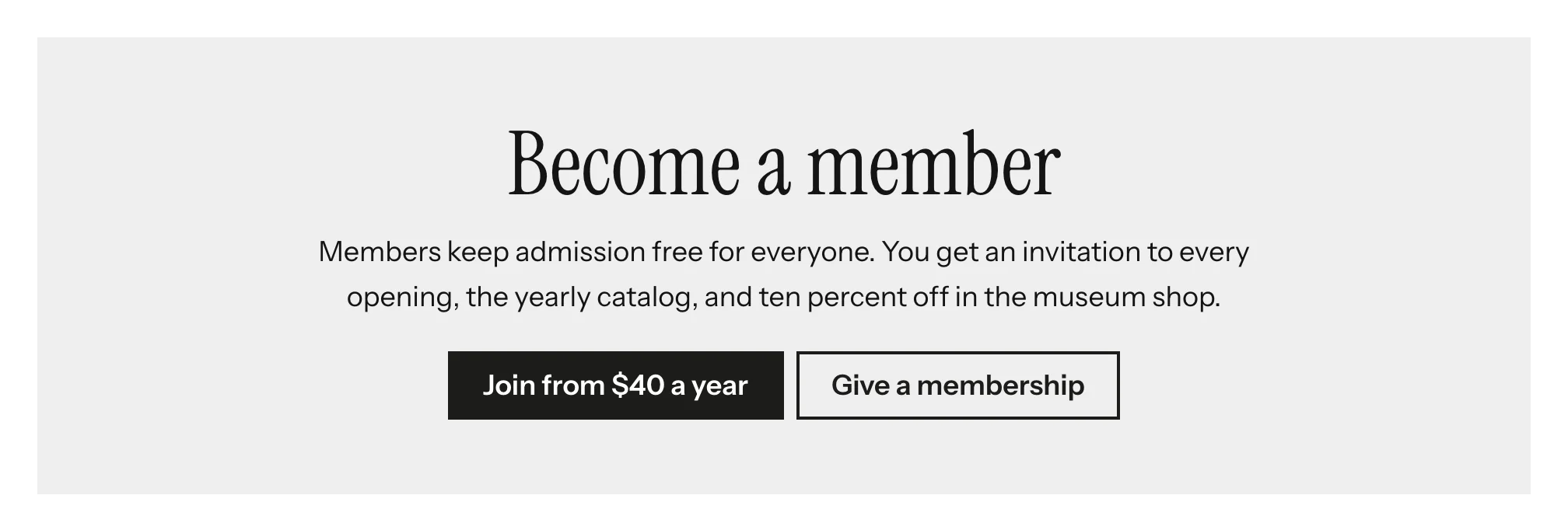
Adding the block
- Edit the page under Admin > Sites > (site) > Pages > (page).
- In the Add new block sidebar, click BlockSuite: Call to Action.
- Fill in the fields and click Save.
A block with no heading and no complete button renders nothing.
Fields
| Field | Description |
|---|---|
| Heading | Rendered as an <h2>. |
| Text | Plain text. Leave a blank line between paragraphs. |
| Buttons | Up to three, each with a Label, a Link and a Style (Primary, Secondary or Outline). |
| Background | Lightly tinted (the default), Accent color, Dark or None. |
| Alignment | Centered (the default) or Left. |
Colors
The panel colors come from the theme. On the Accent color and Dark backgrounds, text, links, buttons and the keyboard focus ring switch to the matching light or dark color, so every combination stays readable. Themes without color tokens get a system-color version that follows the visitor's light or dark setting.