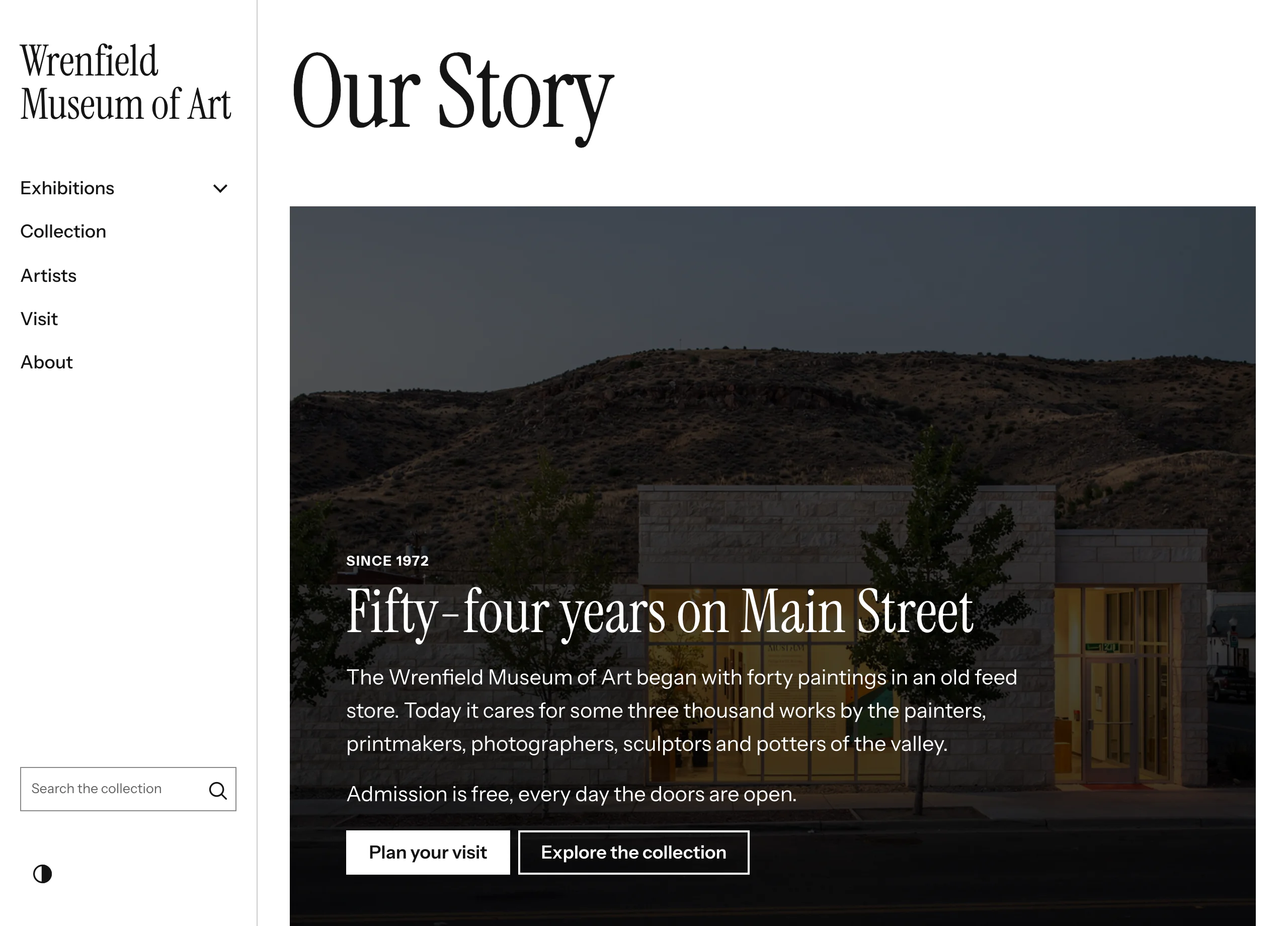
The Hero block opens a page or a section with a large heading, a short text, up to two buttons and, optionally, a photograph behind it. Use it at the top of a home page or an exhibit.
Adding the block
- Edit the page under Admin > Sites > (site) > Pages > (page).
- In the Add new block sidebar, click BlockSuite: Hero.
- Enter a Heading and any of the other fields.
- Click Save.
A Hero with no heading, text, button or image renders nothing.
Fields
| Field | Description |
|---|---|
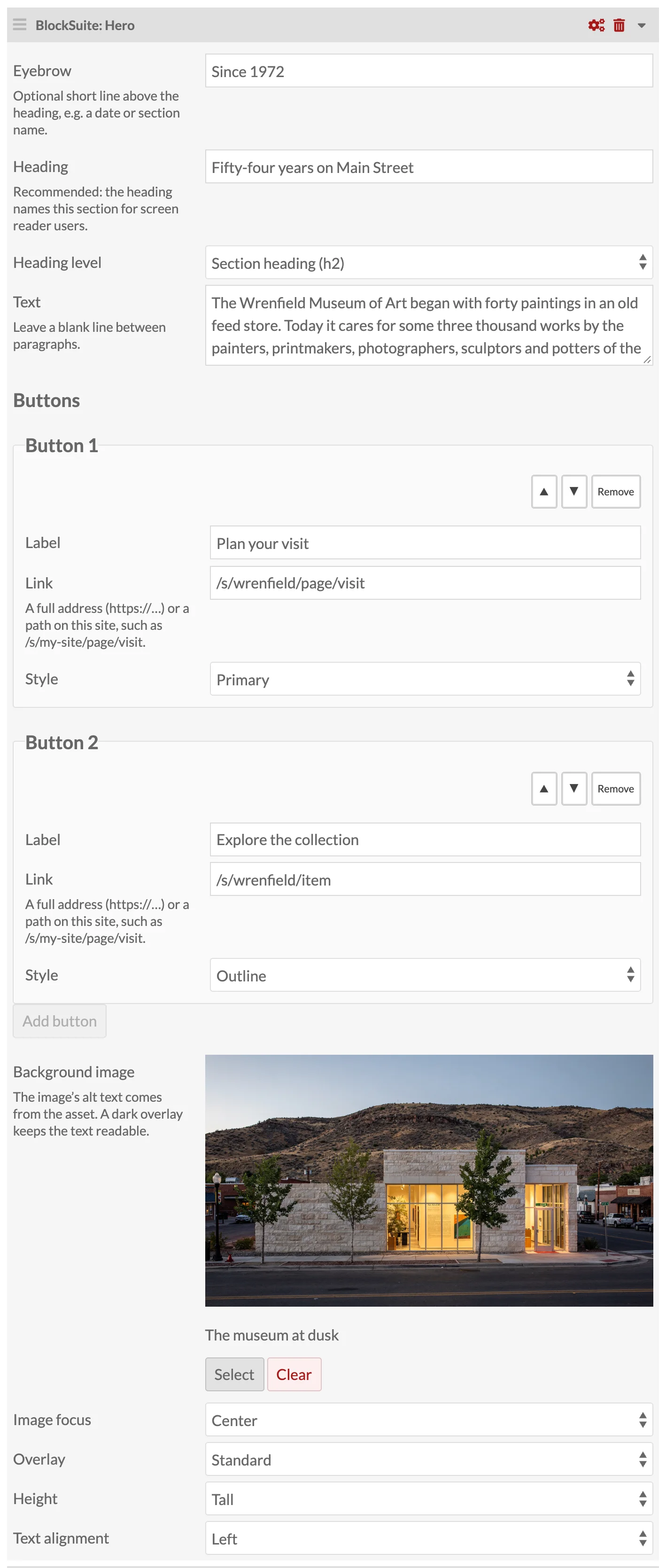
| Eyebrow | Optional short line above the heading, such as a date or a section name. |
| Heading | Strongly recommended: it names the hero for screen reader users. A hero without a heading still shows its other content. |
| Heading level | Section heading (h2), the default, or Main page heading (h1). Choose h1 only when the page has no Page title block, so the page keeps exactly one main heading. |
| Text | Plain text. Leave a blank line between paragraphs. |
| Buttons | Up to two, each with a Label, a Link and a Style (Primary, Secondary or Outline). A button needs both a label and a link to be shown. |
| Background image | Optional asset. Its alt text comes from the asset (Admin > Assets); leave the asset's alt text empty when the photo is decorative. |
| Image focus | Which part of the photo stays in view when it is cropped: Center, Top or Bottom. |
| Overlay | Standard or Strong. Use Strong for busy or bright photos. |
| Height | Compact, Standard, Tall or Full screen (the height of the visitor's screen). |
| Text alignment | Left or Centered. |
Links can be full addresses (https://…), paths on your site (/s/my-site/page/visit), mailto: or tel: links. Anything else, such as javascript: links, is not rendered.
On the public site
Without an image, the hero uses the theme's primary color with matching text color. With an image, the photo fills the block under a dark overlay that is never lighter than 60% black, so white text keeps a contrast ratio of at least 4.5:1 over any photo (WCAG AA).
With a heading, the hero is a <section> named by that heading, so screen reader users can find it among the page's landmarks.