The Tabs (HTML) block splits rich text into tabs, or into accordion sections that open and close. Each tab has a label and its own CKEditor panel. Use it when the content of every tab is written in the editor; when you want to put other page blocks (media, browse previews, sliders) inside tabs, use Tabs (Blocks) instead.
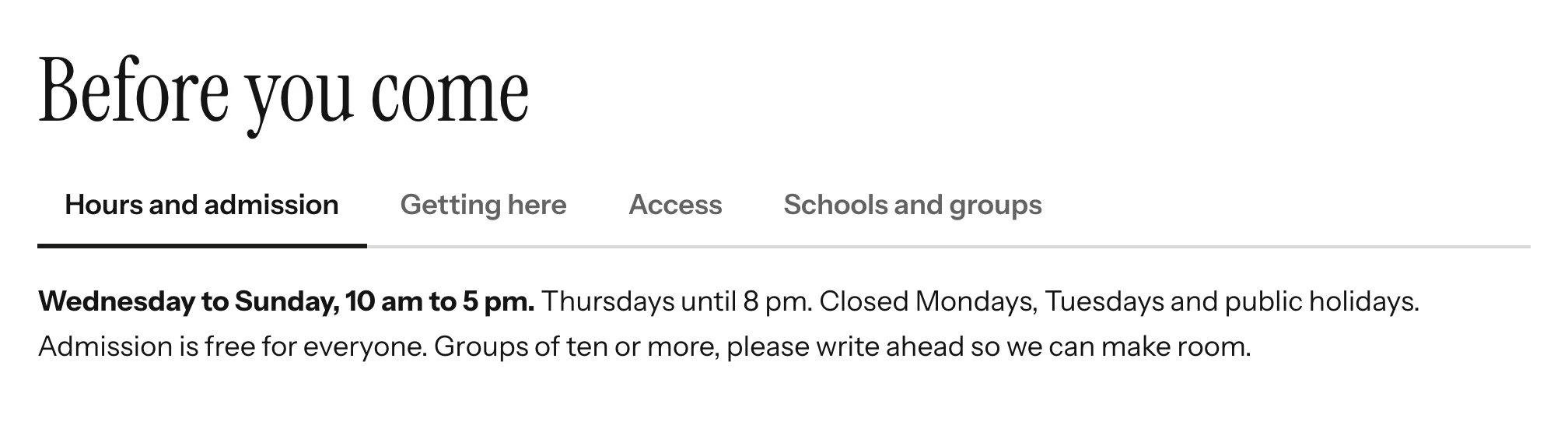
Adding the block
- Edit the page under Admin > Sites > (site) > Pages > (page).
- In the Add new block sidebar, click BlockSuite: Tabs (HTML).
- Optionally enter a Heading, and choose Show as Tabs or Accordion.
- Click Add tab for each tab, give it a Label and write its Content.
- Click Save.
A block with no tabs renders nothing on the public page.
Block settings
| Field | Description |
|---|---|
| Heading | Optional <h2> above the tabs or sections. |
| Show as | Tabs (the default) or Accordion (sections that open and close). Accordions suit long content and narrow screens; tabs suit a few short panels. |
| Accordion | Tick Allow several sections to be open at once to let visitors open more than one section. Otherwise opening a section closes the others. |
Tab fields
| Field | Description |
|---|---|
| Label | Required. The text on the tab button. A tab with an empty label is dropped when the page is saved. |
| Content | Rich text edited in CKEditor, with the same toolbar as the core HTML block. |
| Default tab | Select Open this tab by default on the tab that should be open when the page loads (in an accordion, the section that starts open). If none is selected, or the selected tab is removed, the first tab opens. |
Use the up and down arrows in the corner of each tab to reorder tabs, and Remove tab to delete one. The default selection follows the tab when it is moved.
On the public site
Tabs follow the WAI-ARIA tabs pattern: role="tablist", role="tab" buttons and role="tabpanel" panels wired together with aria-controls and aria-labelledby. Clicking a tab activates it; with keyboard focus on a tab, the left and right arrow keys move between tabs (wrapping at the ends), and Home and End jump to the first and last tab. The active panel can receive focus, so keyboard users can move from the tab list straight into its content.
Accordions follow the WAI-ARIA accordion pattern: each section label is a heading containing a button with aria-expanded, and Up, Down, Home and End move between the buttons. Closed sections use hidden="until-found", so the browser's find-in-page still finds text inside them and opens the section that contains it.
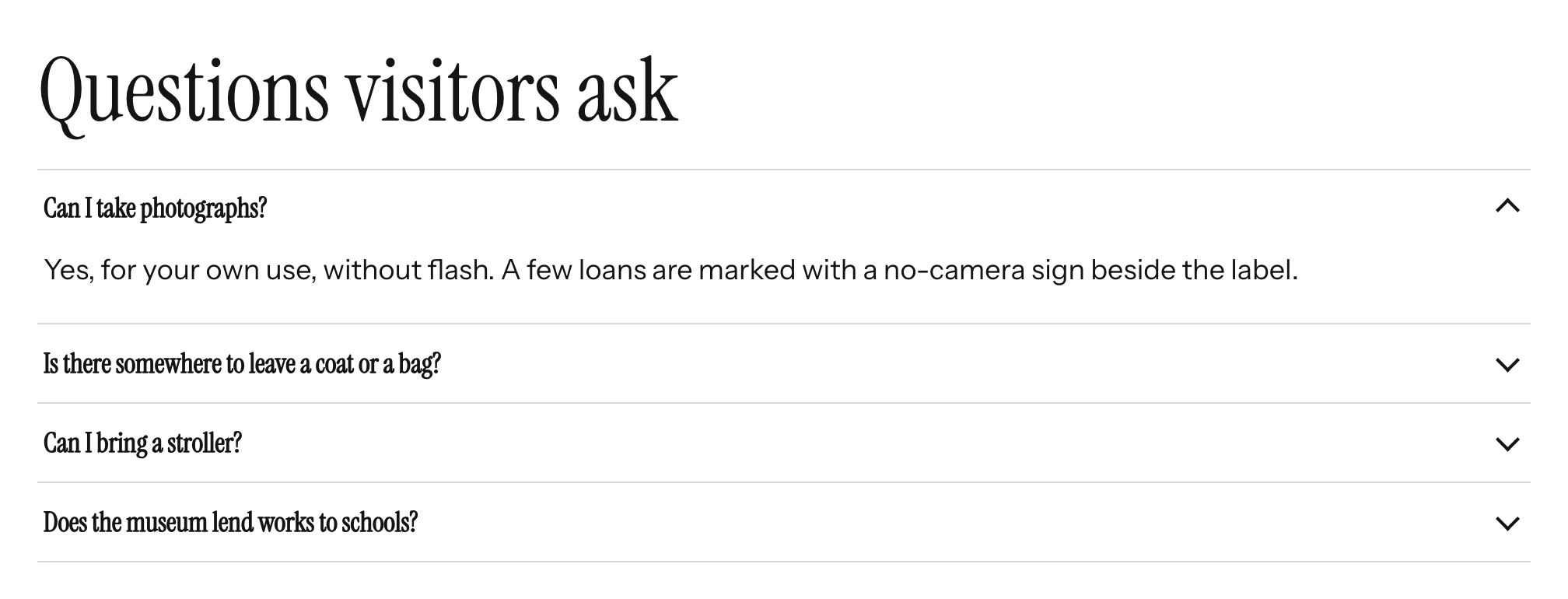
Without JavaScript, every panel and section is shown open.
Panel content goes through Omeka's HTML purifier when the Use HTMLPurifier security setting is on, exactly like the core HTML block. Theme authors can restyle the tabs with the classes listed in Theming and Markup.