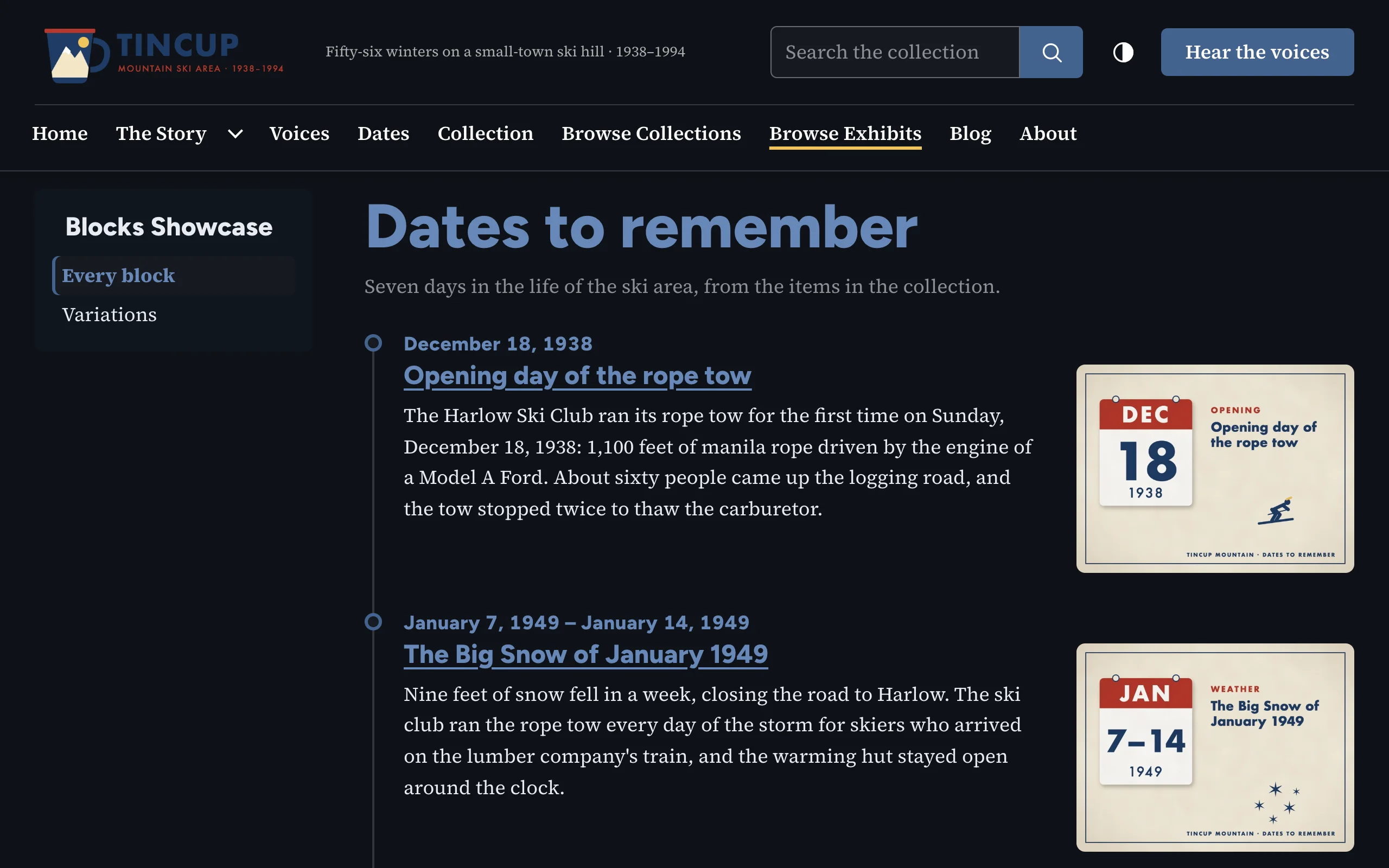
The Timeline shows dated events on a vertical line, each with a title, text and an optional image.
Two ways to fill it
Events from the text (default). Start each event with a heading (Heading 2 or 3 from the editor's format menu) that holds its date, and add a title after a vertical bar or a dash with spaces around it:
1938-12-18 | Opening day of the rope tow
1958 – The first Tincup Cup
Winter 1963
The text under the heading describes the event. Text before the first heading is shown as an introduction. Attached items illustrate the events in order: the first item the first event, and so on; each event's title then links to its item.
One event per item. Each attached item is an event: its Dublin Core Date, its title (linked to the item) and its caption, or a summary of its description when it has no caption. Events are sorted by date (undated ones last) or kept in the items' order. If the text has no dated headings but there are items, this mode is used anyway.
Options
| Option | Description |
|---|---|
| Heading, Heading level | Optional heading; event titles are one level below it. |
| Events | From the text, or one per item. |
| Order of item events | By date, or as the items are ordered. |
| Show images | The items' images beside the events. |
Dates
Machine dates (1938, 1952-12, 1963-12-14, and ranges such as 1949-01-07/1949-01-14) are written as people read them, in the site's language ("December 14, 1963"), inside a <time datetime> element. Anything else ("Winter 1963", "1920s") is shown as typed.
On the public site
An ordered list (<ol class="bst-timeline__list">). Images sit beside the text when the block is wide enough and above it otherwise. Same markup as Block Suite for Omeka S.
In Simple Pages: the [bs_timeline] shortcode
The shortcode makes the same timeline outside exhibits, either from items chosen by tag, collection, type or id, or from events written in its events attribute, for dates that are not items:
[bs_timeline heading="Getting ready" events="June 8|Entry forms go out|Kids pick up entry forms at the Children's Desk.; June 27|Comic Jam|Bring your own pens.|events/comic-jam|Sign up"]
Events are separated by ;, and each is date|title|text|link|link label (only a date or a title is required; with a link the event ends with a Read more link, or the label you give). Write \; or \| for a semicolon or a bar inside the text. See Shortcodes for every attribute.