Your Solr server is up and running, so now it is time to give it something to search. That happens through a core, and connecting one to your site only takes a few minutes.
What is a core?
A core is a single search index. Think of it as one searchable copy of a collection. A server can hold multiple cores, and the usual setup is one core per site, which keeps each site's search separate and tidy.
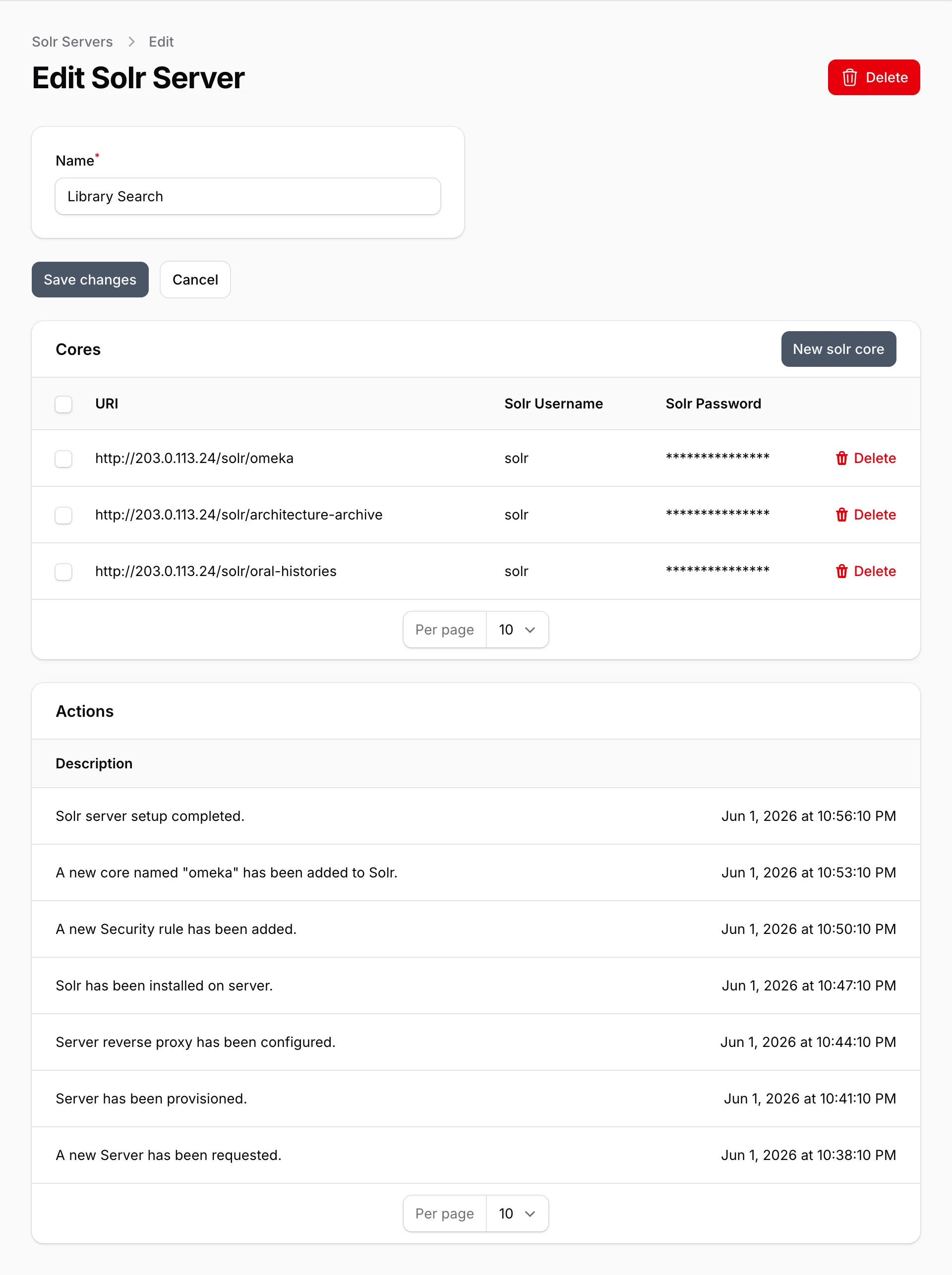
Every new server comes with one core already made, named omeka. You can use it for your first site, or create your own.
Create a core
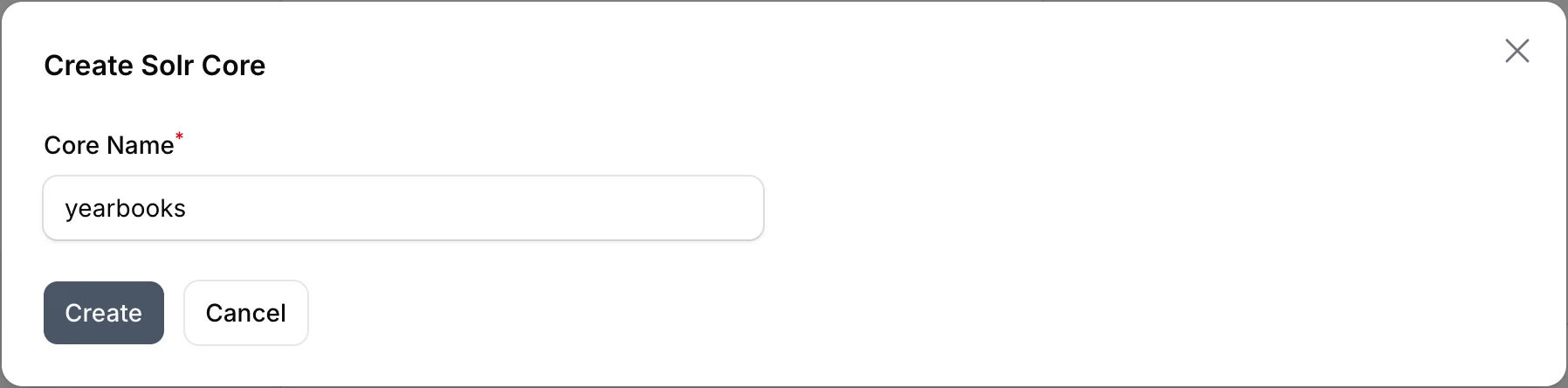
From the Solr Servers page, open your server. Below its name is the Cores list. Click New solr core, type a Core Name, and click Create. (The button appears once the server has finished setting up.) Like your server's name, this is mostly for your own reference, so naming it after the site it will serve works well. Core names use lowercase letters, numbers, and dashes, and each core on a server needs its own name.
Find your connection details
Each row in the Cores list shows what your site needs to connect:
- URI, the core's address. It ends in the core's name.
- Solr Username
- Solr Password, hidden on screen for safety.
Click the URI or the username to copy it. The username and password belong to the server, so every core on the server shares them. If you need the password, open a support ticket and we will get it to you securely.
Connect your Omeka site
Your site talks to Solr through search modules. On Omeka S, install the Search module and its Solr adapter, the same way as any other module. Our guide on installing modules and themes shows you how.
With the modules installed and switched on, sign in to your Omeka site's admin area and open the search settings. Add a Solr connection using the core's URI, username, and password, then save.
That is it. Searches on your site are now answered by Solr. If you run several sites, just repeat the process: create another core on the same server and connect each site to its own core.
Removing a core
Each core's row has a Delete action. It removes the core and its search index from the server for good. Your site's content is untouched, but its search stops working until you connect it to another core.
Cores cannot be renamed. If you want a different name, create a new core, connect your site to it, and delete the old one.